ShopDrivers๐Ÿ’ฌ Live chat

How can we help?

Setup guides, fixes and drivers for your HotLabel thermal label printer.
Popular: S8 / M6 setup label too small red light drivers

๐Ÿš€ Set up your printer Pick your model โ€” each guide covers Windows, Mac and more

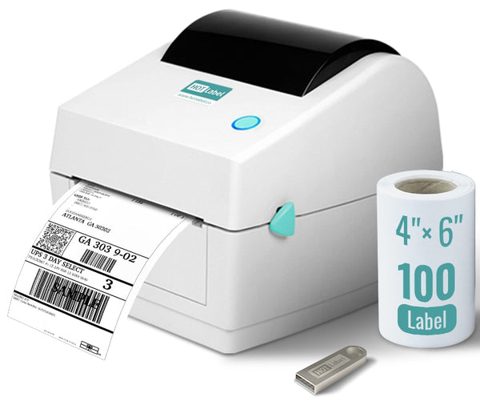
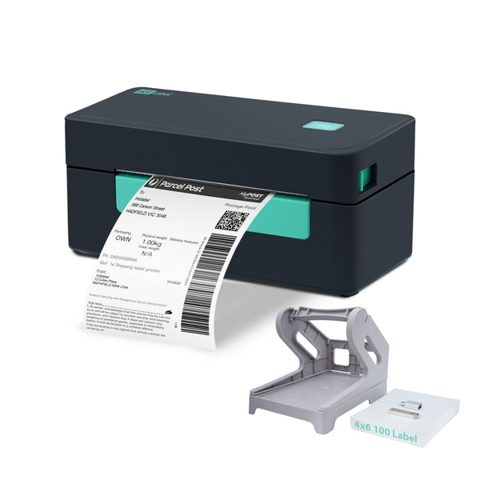
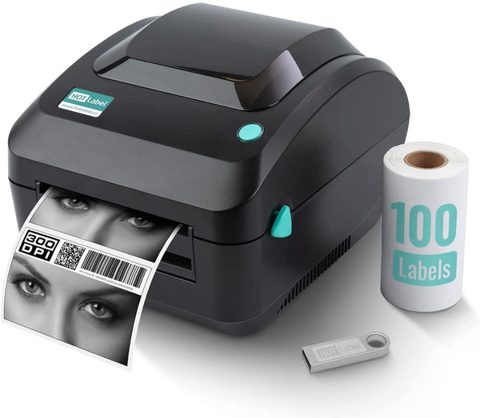
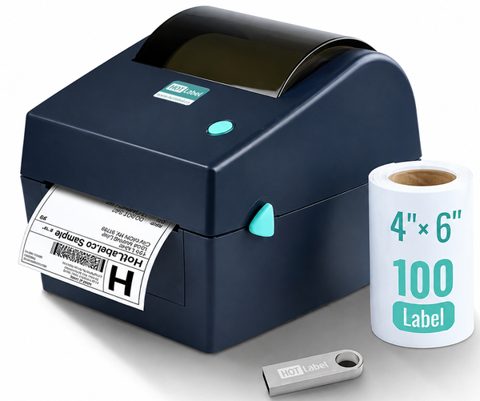
HL-S8HL-S8Bought after 20 Feb 2023HL-M6HL-M6Bought after 20 Feb 2023HL-M9 / M9HDHL-M9 / M9HDMini 203 / 300 DPIHL-A300HL-A300300 DPIOlder S8 / M6Older S8 / M6Bought before 20 Feb 2023 ยท driver shows โ€œ4BARCODE 4B-2074Aโ€

๐Ÿ› ๏ธ Fix a problem Start from what you see

๐Ÿ”ดRed light or flashing red lightWhat the red LED means and how to get it back to blue in under a minute.๐ŸŸฃPurple or pink light โ€” printer stopped workingA bright purple or pink ring light after a reset means the printer firmware needs an update. Here's how we fix it with you.โšซNo light โ€” printer won't turn onCheck the power connection, then use the Diagnostic Tool to confirm whether the printer is alive.โฌœPrinter feeds blank labelsLabels come out with nothing on them โ€” almost always upside-down labels, the wrong label type, or a size mismatch.๐Ÿ“Label prints too small, sideways or cut offHotLabel prints exactly what's on your screen. If the label is tiny, rotated or missing an edge, the page size or margins are wrong โ€” here's the 2-minute fix.๐Ÿ”Skips labels or prints the same label againWhen the printer hasn't learned your label size it can skip a blank, split a label in two, or reprint the same label with a blinking red light. Calibration fixes it.๐ŸŒซ๏ธPrint is faint, blurry or barcodes won't scanImprove darkness and sharpness by fixing the source file first, then adjusting speed and density in the driver.๐ŸงปLabel jamsWhy labels jam, how to clear one safely, and how to stop the printer feeding labels every time it starts.๐ŸชŸWindows: printer not detected or driver install failedThe driver wizard can't see the printer, or the printer never appears in Printers & scanners. Work through these steps in order.๐ŸŽMac: printer offline or not showing upThe printer isn't listed in Printers & Scanners, or shows as Offline. Usually a USB or adapter issue.โš ๏ธError 0x80040004 โ€” "unexpected configuration problemThis Windows error appears when the app you're printing from doesn't support thermal printers. Print from a different app.๐Ÿ’พWindows asks to save a file instead of printingA Save dialog pops up when you click Print โ€” "Print to file" is ticked or the wrong printer is selected. Fix, or reinstall the driver.

๐Ÿ›’ Print shipping labels fromโ€ฆ Set 4 ร— 6 in on your platform once, then print from anywhere

๐Ÿ‡ฆ๐Ÿ‡บ Australia Post (MyPost Business)๐Ÿ›๏ธ eBay๐Ÿ›’ Shopify๐Ÿ“ฆ Amazon๐Ÿงถ Etsy๐Ÿ’ณ PayPal shipping๐Ÿ“ฎ Royal Mail (Click & Drop)โœˆ๏ธ DHL๐Ÿšš FedEx๐Ÿ Canada Post๐Ÿ“ฌ Stamps.com๐Ÿšข ShipStation๐Ÿ“ฆ Shippo๐Ÿงฐ ShipWorks๐Ÿ“ฆ ShippingEasy๐ŸŸค UPS WorldShip๐Ÿ‘— Poshmark

๐Ÿ’ก Tips, settings & label design

๐ŸŽจDesign your own labels (Canva, OnlineLabels, BarTender)Make product, address or barcode labels in any size with free tools, then print them on your HotLabel.๐Ÿ–ผ๏ธPrint photos, logos and screenshotsThermal printers can print images โ€” use Paint or Preview and set dithering so they don't come out as black blobs.๐Ÿท๏ธPrint on single (loose) labelsFeed individual labels one at a time by turning off the printer's automatic feed motion.๐ŸŒShare the printer with other computers (Windows)Print from several PCs to one HotLabel using Windows printer sharing.๐ŸชŸWindows printer settings โ€” paper size, darkness, defaultsAdd a label size, change darkness and speed, and set 4 ร— 6 as the default so every app prints correctly.๐ŸŽMac printer settings โ€” default 4 ร— 6 size, darknessCreate a 4 ร— 6 paper size, make it the default, and set darkness and speed permanently with CUPS.๐Ÿ”„Reset, calibrate, and stop auto-calibrationButton sequences for label calibration and a factory reset, plus how to stop the printer feeding labels every time it powers on.โœ‚๏ธCrop an A4 / Letter label to 4 ร— 6When a carrier only gives you a full-page PDF, crop it in 30 seconds online, in Preview (Mac) or in Acrobat Reader (Windows).๐Ÿ–ฅ๏ธRemote assistance โ€” let us fix it on your screenBook a free remote session. We connect with TeamViewer or Chrome Remote Desktop and finish the setup for you.

๐Ÿ“ฆ Downloads, FAQ & contact

โฌ‡๏ธDrivers & downloadsEvery driver, tool and sample file for HotLabel printers in one place.โ“Frequently asked questionsQuick answers about compatibility, labels, warranty and support.๐Ÿ’ฌContact supportLive chat is fastest. Email and phone also available, Sydney based.
๐Ÿ’ฌ Live chat (fastest)Start a chat11:30 โ€“ 21:00 Monโ€“Fri (Sydney time)
โœ‰๏ธ Emailsupport@hotlabel.coWe reply within 24 hours
๐Ÿ“ž Phone (Australia)0478 886 607Live chat is faster โ€” we can screen-share
๐Ÿ–ฅ๏ธ Remote assistanceHow it worksWe fix most setup issues in one session