
Home › Print from a platform
eBay
Set eBay postage labels to 4 × 6 so they stop printing small or sideways.
Set the label size once
When you buy a postage label on eBay, look for the label format / paper size option on the print page and choose 4 × 6 in (thermal label). eBay remembers the choice for future labels.
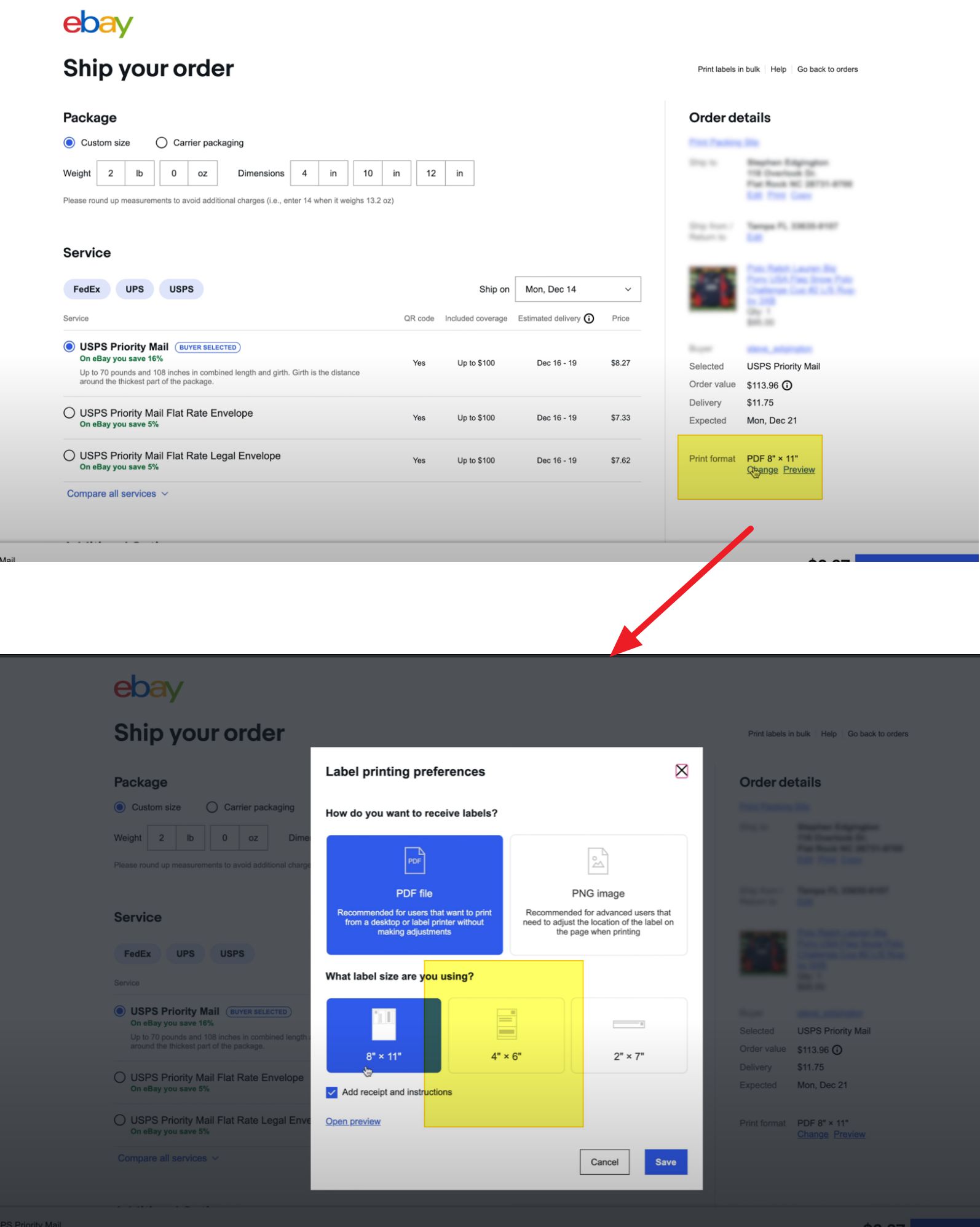
Printing
- Click Print label. The label opens as a PDF.
- Press Ctrl+P / ⌘+P, choose your HotLabel printer, paper size 4 × 6 in, scale Fit to page.
Label still small or sideways?
The PDF was generated as an A4 / Letter page. Change the eBay setting above and reprint, or crop the PDF. More detail: Label too small, sideways or cut off.
Still need help?Live chat 11:30 – 21:00 Mon–Fri (Sydney time) · Email replies within 24 hours · Phone 0478 886 607