
Home › Tips & settings
Share the printer with other computers (Windows)
Print from several PCs to one HotLabel using Windows printer sharing.
HotLabel printers connect by USB. To print from other computers, share the printer from the PC it's plugged into.
Warning
The host PC must stay switched on (not asleep) for others to print.
On the PC connected to the printer
- Set the printer up and print the sample label to confirm it works.
-
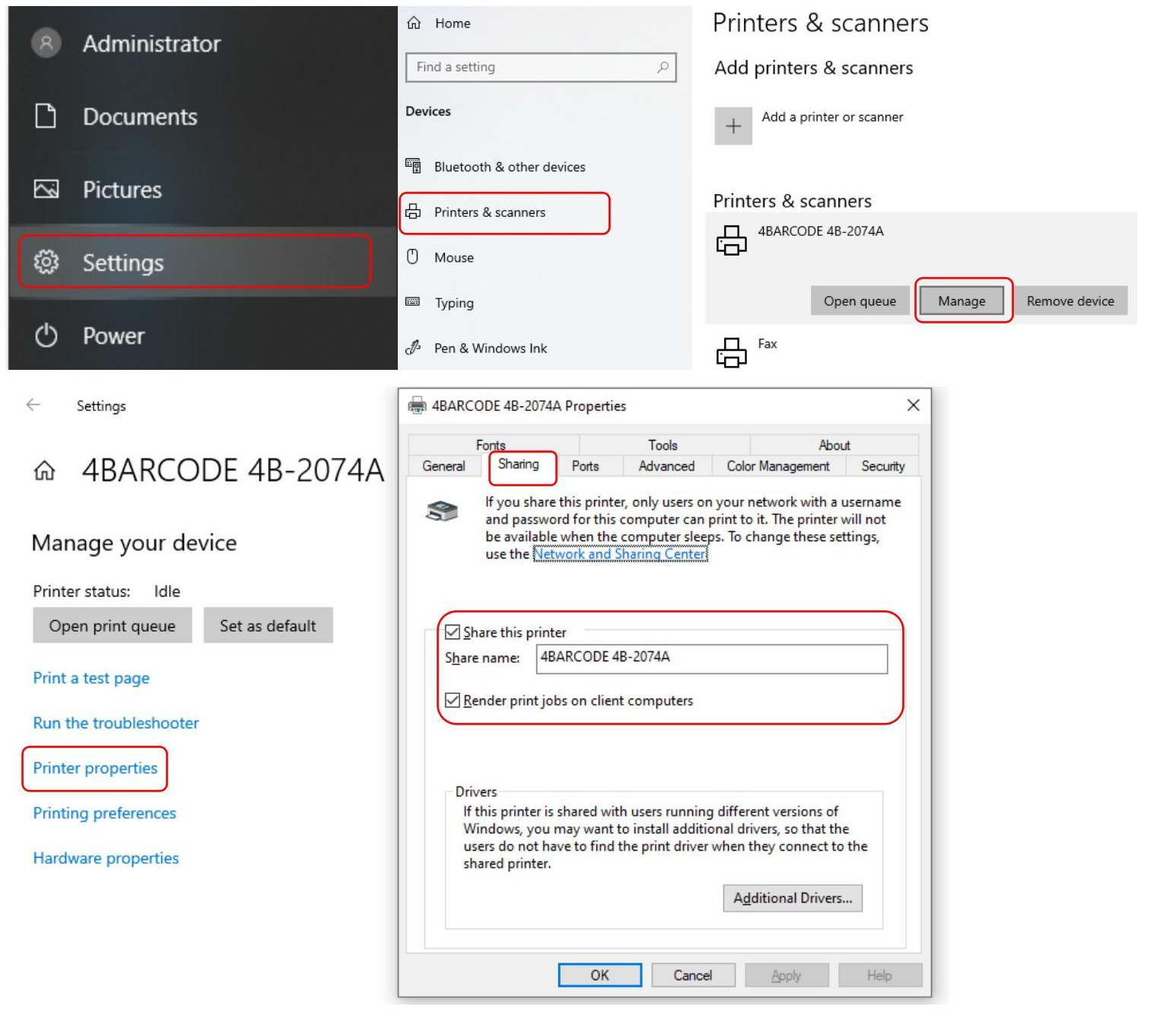
Settings → Devices → Printers & scanners → your HotLabel printer → Manage → Printer properties.
-
Open the Sharing tab, tick Share this printer, give it a short name and click OK.
On the other computers
- Settings → Printers & scanners → Add device, then click The printer that I want isn't listed.
-
Choose Select a shared printer by name and browse to the host PC, or type
\\HOSTPC\SharedName(find the host's device name under Settings → System → About).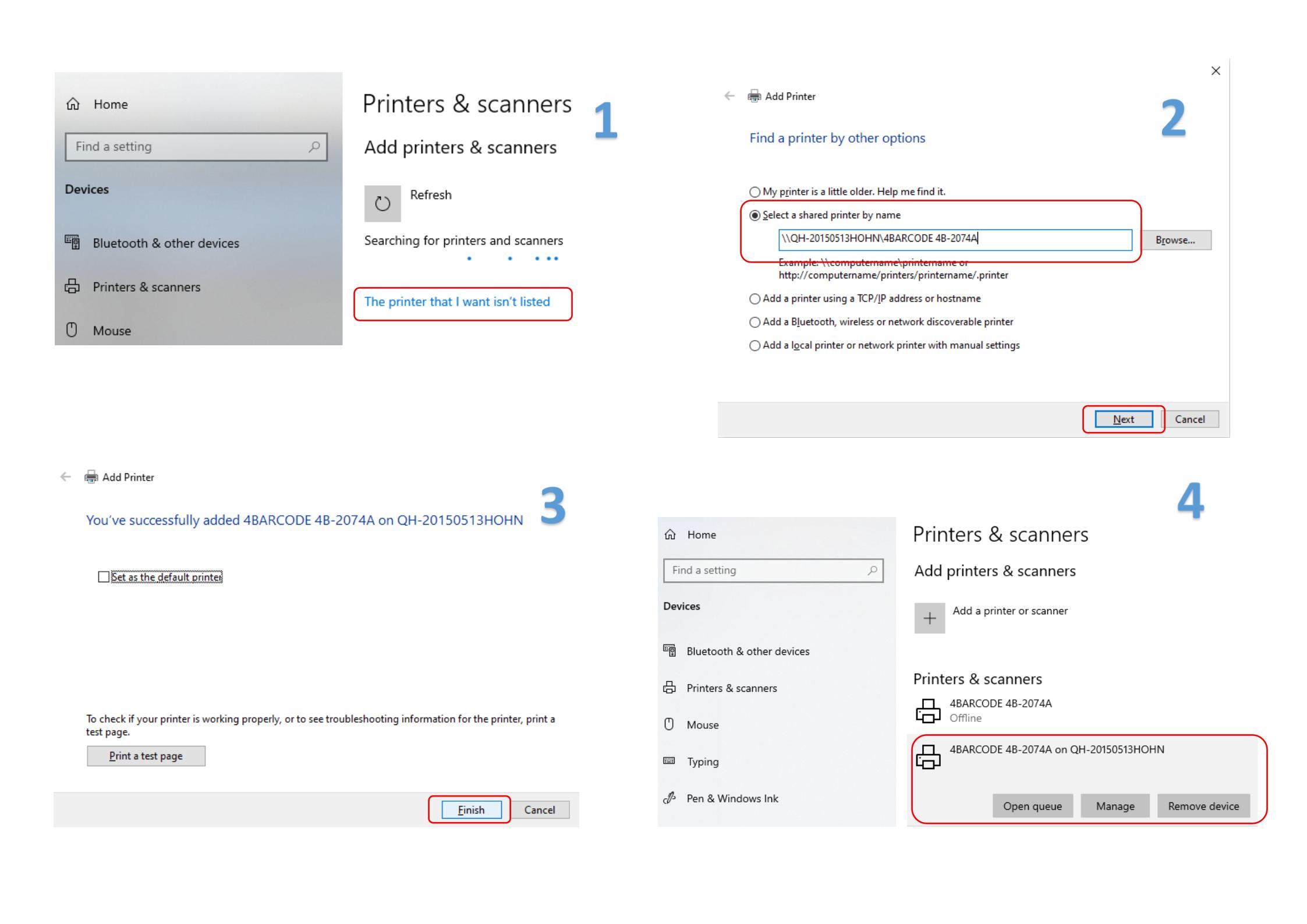
-
Click Next to install the driver and finish. The printer now appears like a local printer.
Still need help?Live chat 11:30 – 21:00 Mon–Fri (Sydney time) · Email replies within 24 hours · Phone 0478 886 607