
Home › Print from a platform
ShipStation
Set ShipStation's document options to 4 × 6 labels.
-
Click the Settings gear icon at the top right.

-
Choose Document Options.
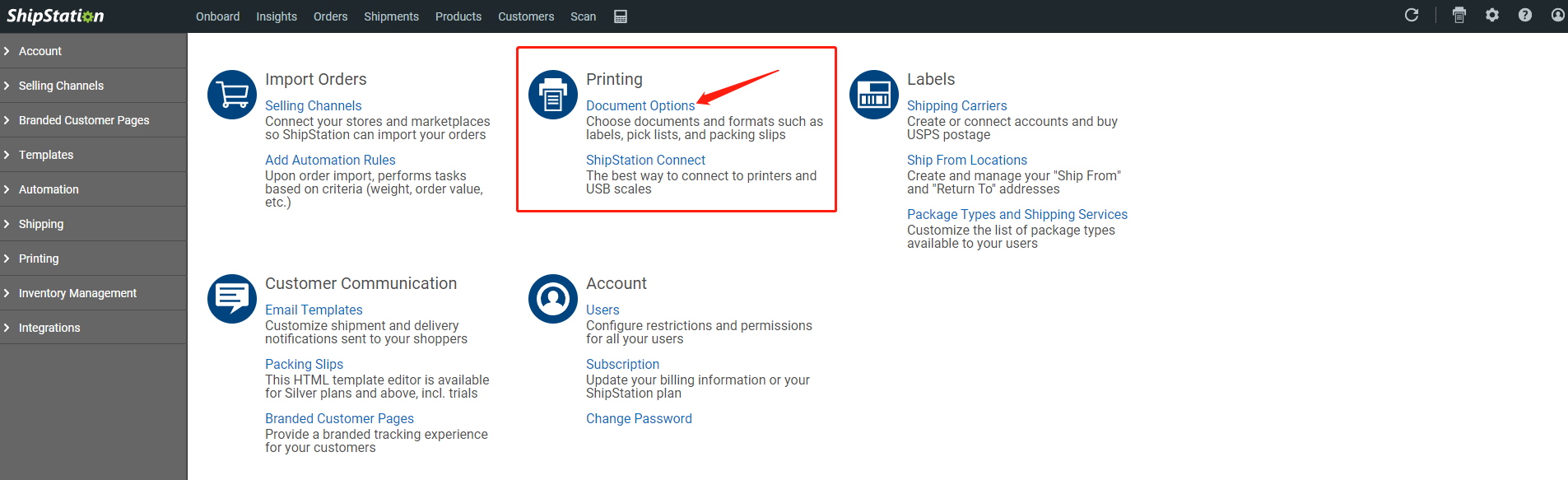
-
Click Document Options next to Labels.
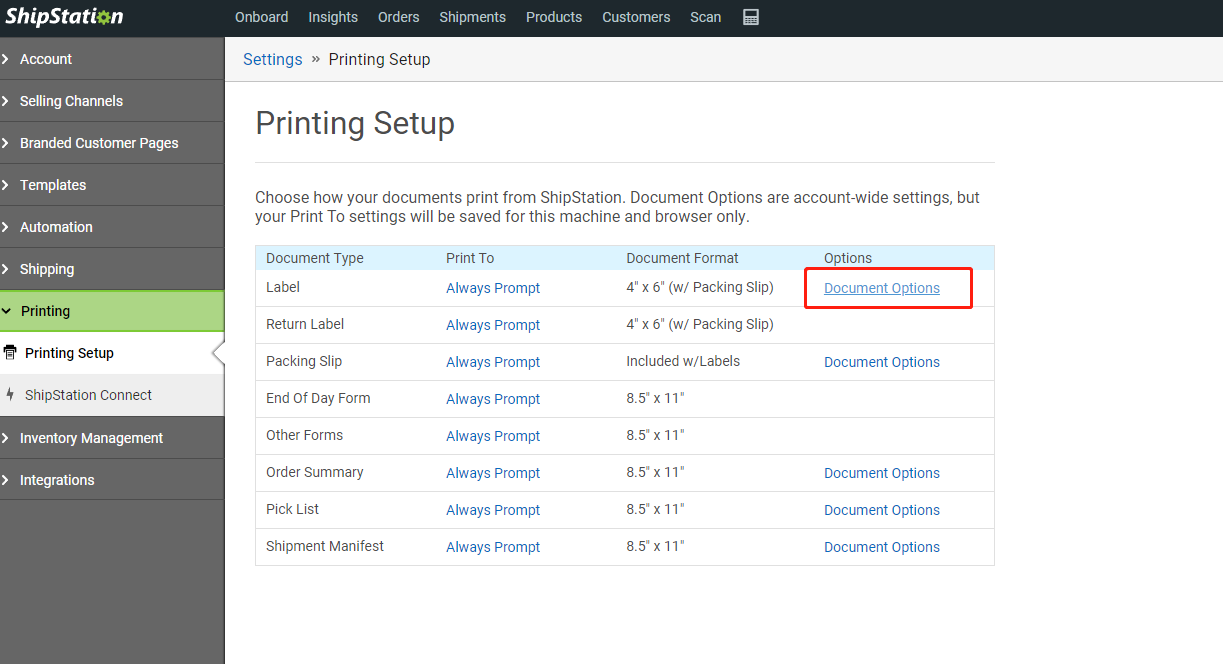
-
Choose 4" × 6" (or 4" × 6" w/ Packing Slip) and Save.
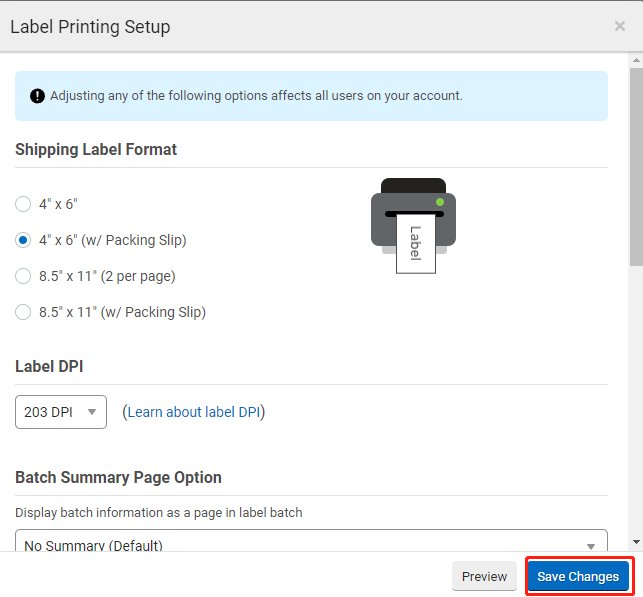
Print labels with your HotLabel printer selected and paper size 4 × 6 in.
Still need help?Live chat 11:30 – 21:00 Mon–Fri (Sydney time) · Email replies within 24 hours · Phone 0478 886 607