
Home › Print from a platform
ShipWorks
Set 4 × 6 label dimensions in ShipWorks templates.
ShipWorks is very flexible, so a few one-time template settings are needed to orient the label correctly.
-
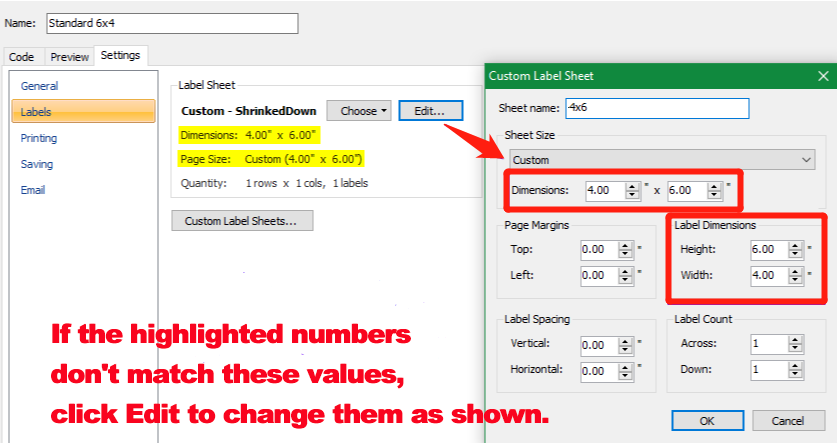
Open the label template settings and change the label and sheet dimensions to 4 × 6.
-
In the template's Code tab, make sure the label is positioned at the top-left of a 4 × 6 sheet with no page margin.
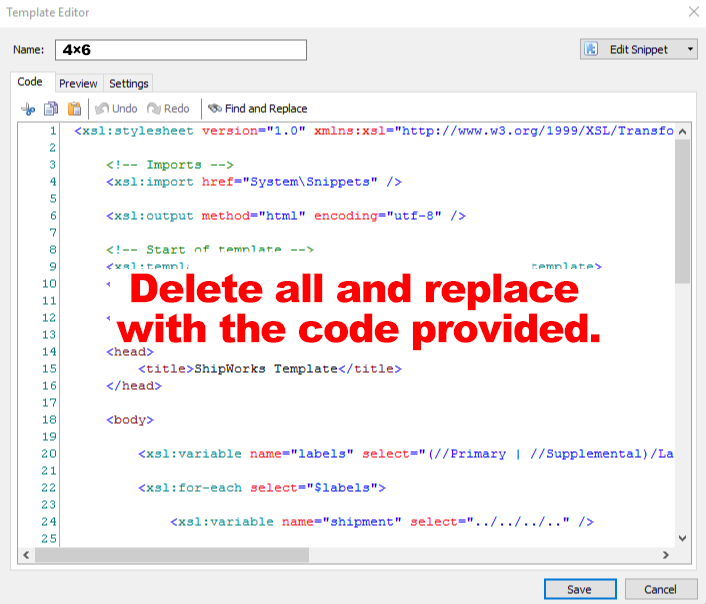
Print with your HotLabel printer selected and paper size 4 × 6 in.
Tip
Need our ready-made ShipWorks template? Ask on live chat and we'll send it over.
Still need help?Live chat 11:30 – 21:00 Mon–Fri (Sydney time) · Email replies within 24 hours · Phone 0478 886 607