
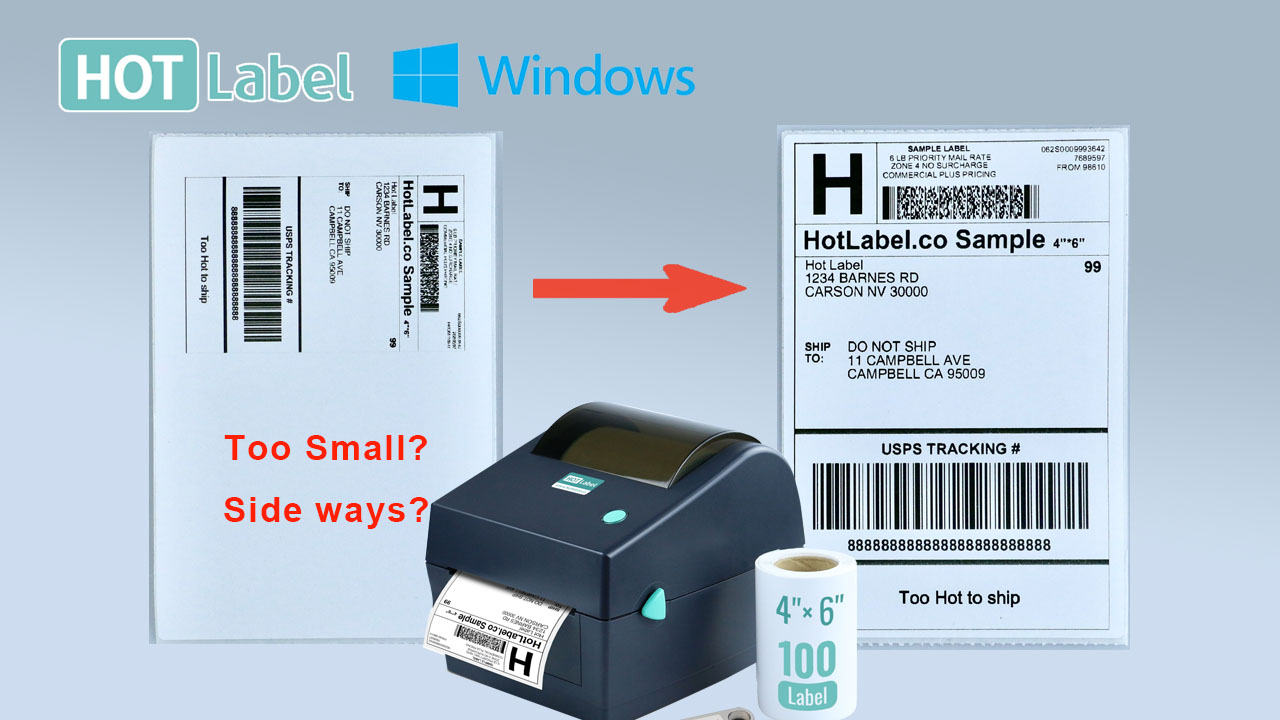
Label prints too small, sideways or cut off
HotLabel prints exactly what's on your screen. If the label is tiny, rotated or missing an edge, the page size or margins are wrong — here's the 2-minute fix.
Your printer reproduces the page it is sent, in the same orientation and with the same margins. A shipping label designed for A4 or 8.5 × 11 in paper has a big white margin around it, so on a 4 × 6 label it comes out small and often rotated.
First: rule out the printer
Download the sample 4 × 6 label (PDF)
Print it with paper size 4 × 6 in and scale Fit to page. If it fills the label correctly, the printer is fine — the fix is in your document or platform settings below.
Fix 1 — Download a 4 × 6 label instead of an A4 one
Every major platform can give you a 4 × 6 label directly; this is the cleanest fix. Set it once: eBay · Shopify · Amazon · Etsy · PayPal · all platforms.
Fix 2 — Check the print dialog
Before you click Print, make sure:
- Printer: your HotLabel printer, not "Save as PDF" or another printer.
- Paper size: 4 × 6 in (or 100 × 150 mm). Add it if it isn't listed — Windows · Mac.
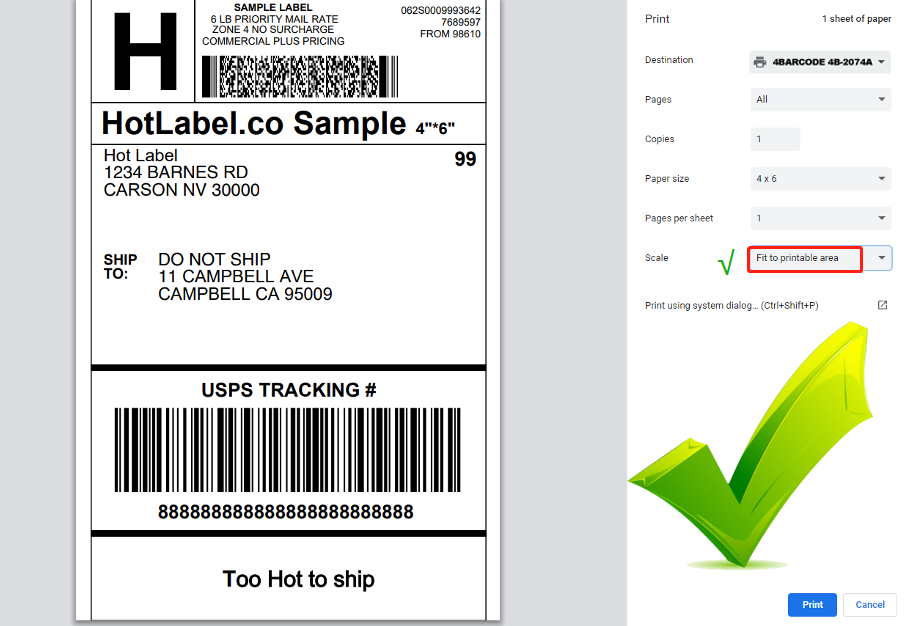
- Scale: Fit to page / Fit to printable area, not 100 %.
- Margins: none / default. Orientation: portrait.
- The preview looks like a full label, not a small box in the middle of the page.
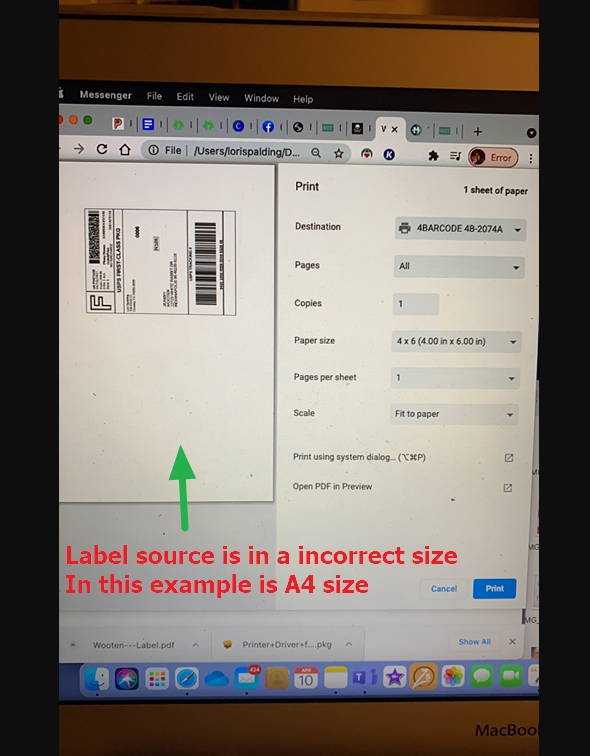
Fix 3 — Crop the PDF to 4 × 6
If you can't re-download the label (some carriers only give A4), crop the PDF once. It takes 30 seconds online or in Preview / Adobe Reader — see Crop an A4 label to 4 × 6.
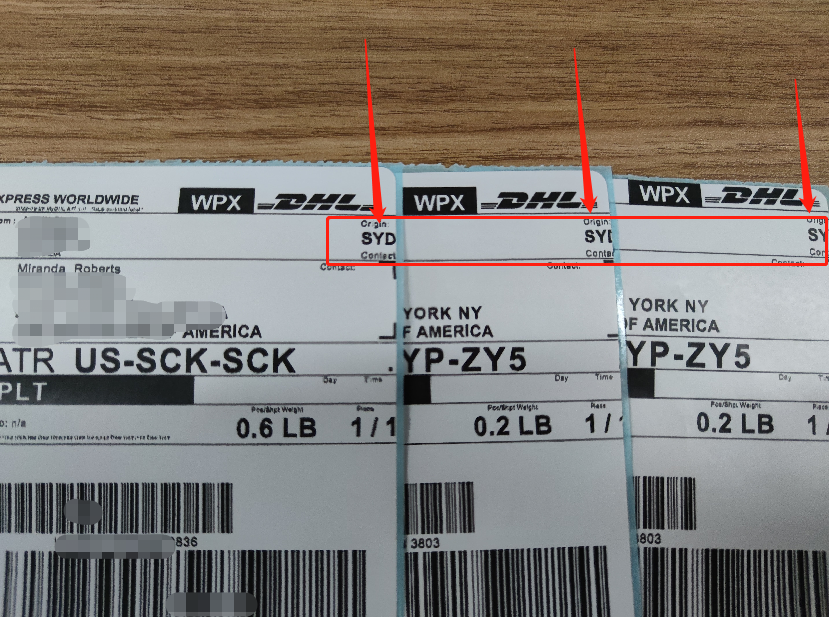
Label is cut off or drifts to the left
-
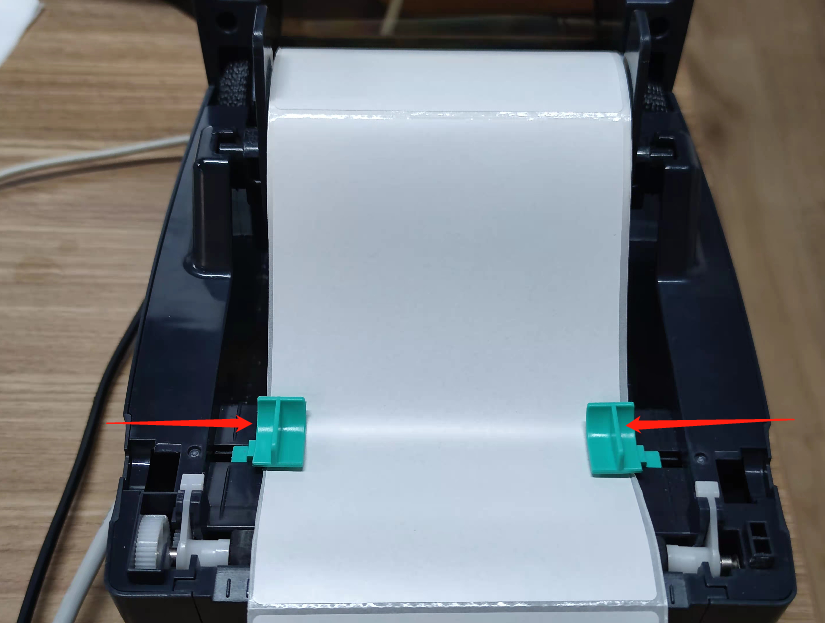
Label guides: the green guides inside the printer should gently touch both edges of the roll so it can't wander.
-
Fit to page: select Fit to printable area if the preview shows the label slightly too large.
-
The free starter roll is 100 × 150 mm, 1 mm narrower than a true 4 × 6 in (101 × 152 mm) label. If the edge of a 4 × 6 document is clipped on the starter roll, set the scale to about 98 % or pick 100 × 150 mm as the paper size.
Label is printed across two labels, or skips one
Run label calibration — see Skips labels or prints the same label again.
How to add a 4 × 6 paper size (Windows)
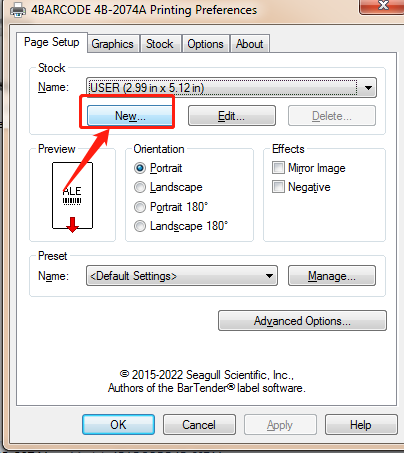
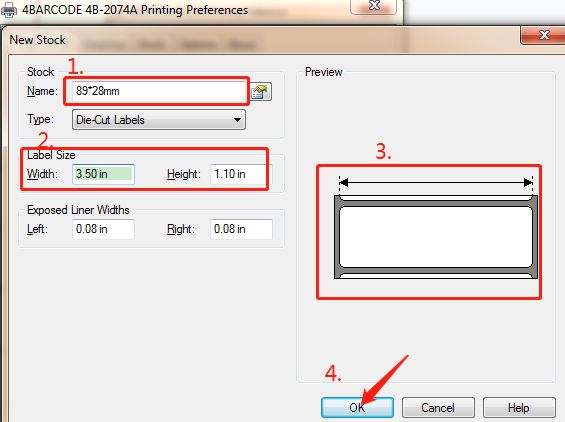
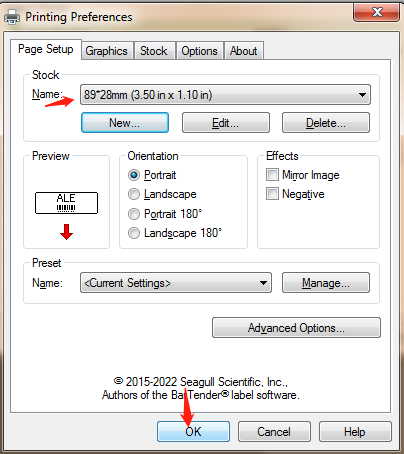
More detail in Windows printer settings.