
Home › Fix a problem
No light — printer won't turn on
Check the power connection, then use the Diagnostic Tool to confirm whether the printer is alive.
1. Check the power path
Nine times out of ten this is a loose connection.
- Is the power switch on the back turned on?
- Is the adapter plugged firmly into the printer and the wall? Try another wall socket.
- Is the small LED on the power adapter lit (if it has one)?
- Try a different power lead if you have one — the adapter is a standard 24 V barrel type.
2. Confirm with the Diagnostic Tool (Windows)
Download the Diagnostic Tool (0.3 MB)
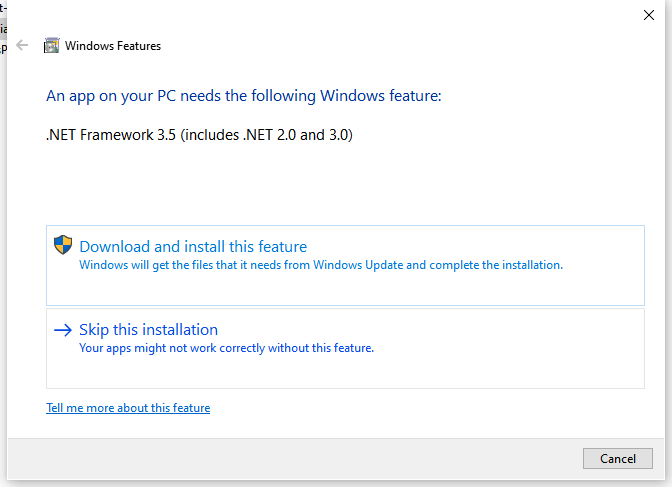
Extract and open Diagnostic Tool.exe. If Windows asks to install a .NET feature, click Download and install.
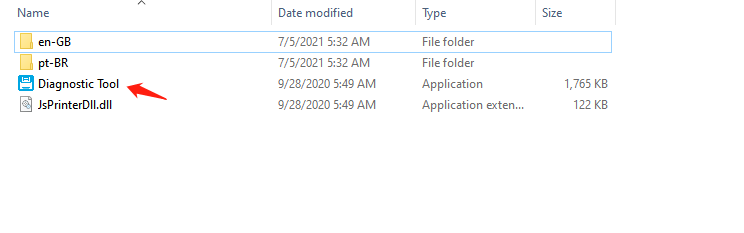
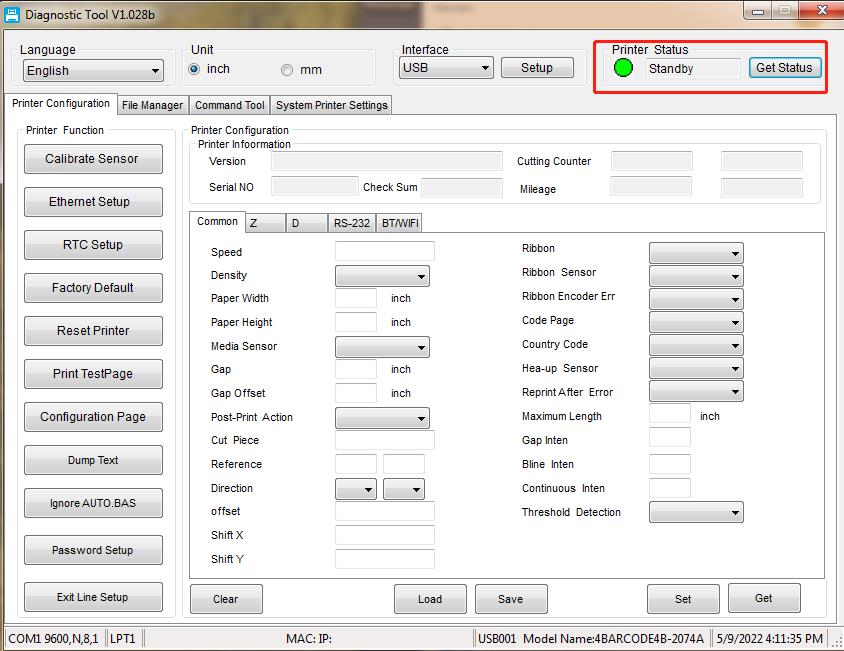
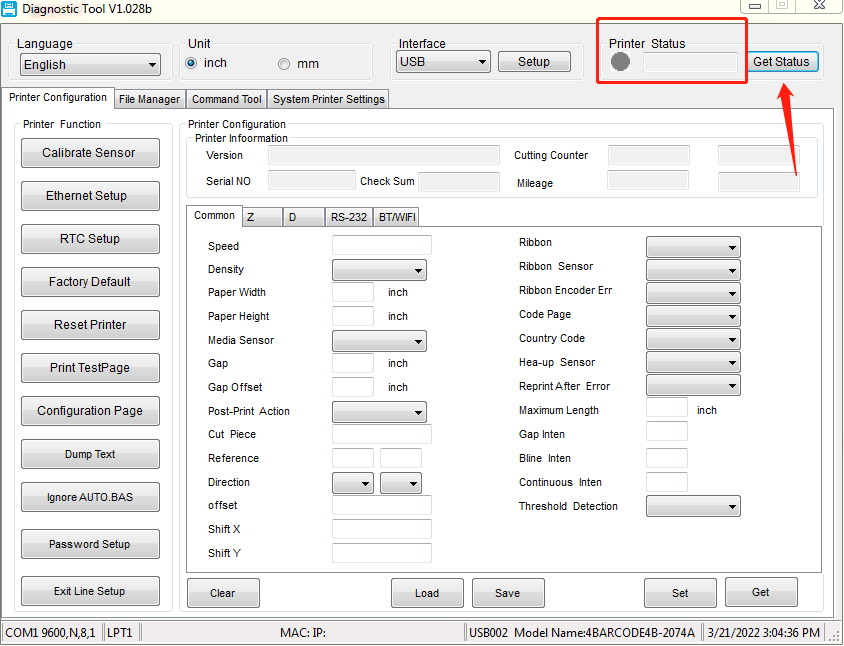
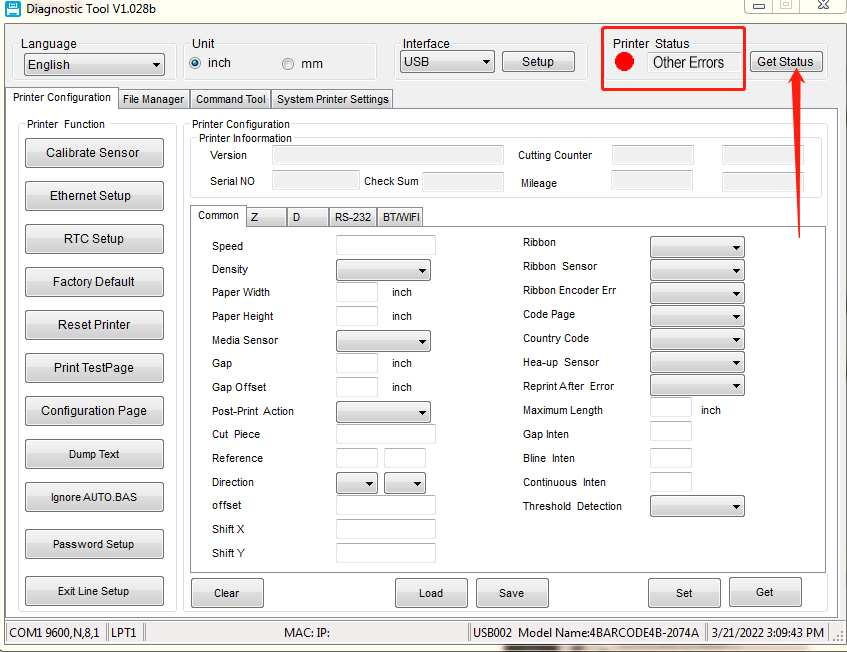
Connect the printer by USB and click Get Status:
| Light in the tool | Meaning |
|---|---|
| 🟢 Green | Printer is powered and connected. The ring light itself may be faulty — contact us. |
| ⚪ Grey | No power or no USB connection. Recheck step 1 and try another USB cable and port. |
| 🔴 Red / error text | The printer reports a fault. Contact us with a screenshot. |
Still no light?
Send us a short video of the printer, the power adapter and the switch, plus your order number, on live chat or support@hotlabel.co. Printers are covered by a 1-year warranty against manufacturing defects.
Still need help?Live chat 11:30 – 21:00 Mon–Fri (Sydney time) · Email replies within 24 hours · Phone 0478 886 607