
Home › Print from a platform
Shippo
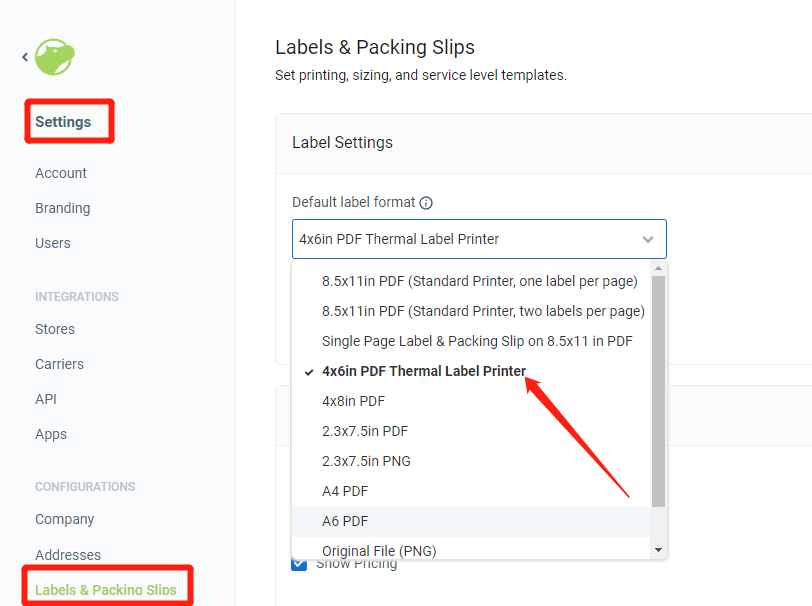
Set Shippo's default label format to 4 × 6 in PDF.
- Go to Settings → Labels (apps.goshippo.com/settings/labels).
- Set Default label format to 4 × 6 in PDF and save at the bottom of the page.
Notes
- Only labels created after the change use the new format; Shippo doesn't convert existing labels.
- International UPS labels can't be created at 4 × 6 because of the attached commercial invoice (other carriers create invoices separately).
References: Update label settings · Reprint labels
Still need help?Live chat 11:30 – 21:00 Mon–Fri (Sydney time) · Email replies within 24 hours · Phone 0478 886 607