
Home › Print from a platform
Amazon
Customer order labels, FNSKU product labels and FBA box labels — how to get each one out at 4 × 6.
Amazon Seller Central produces three kinds of labels. All work with HotLabel.
1. Customer order shipping labels
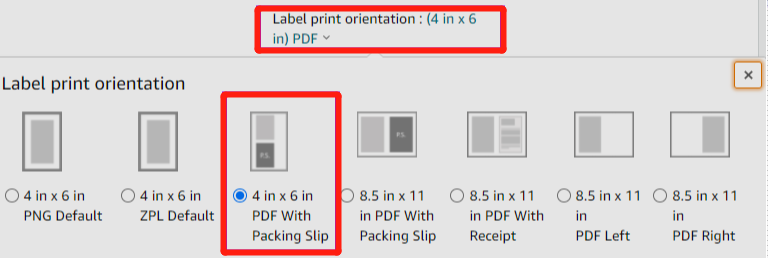
Leave the layout as default and choose PDF — Amazon produces a 4 × 6 label ready for thermal printers.
2. Product (FNSKU / ASIN) labels
In Send to Amazon, Step 1, click Print all SKU labels, choose Thermal printing as the format and enter your label dimensions.

If the labels come as a full A4 / Letter sheet, crop them online:
-
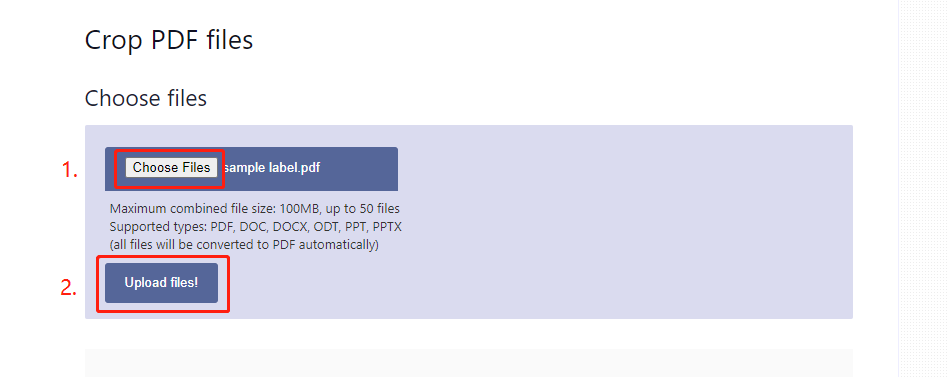
Open pdfresizer.com/crop, upload the file.
-
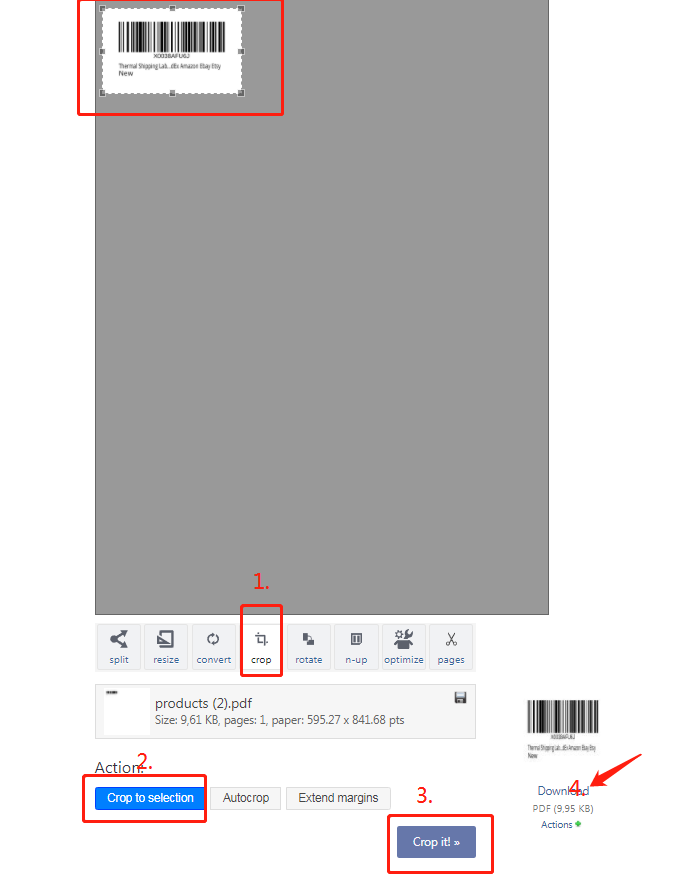
Choose AutoCrop → Crop it and download.
-
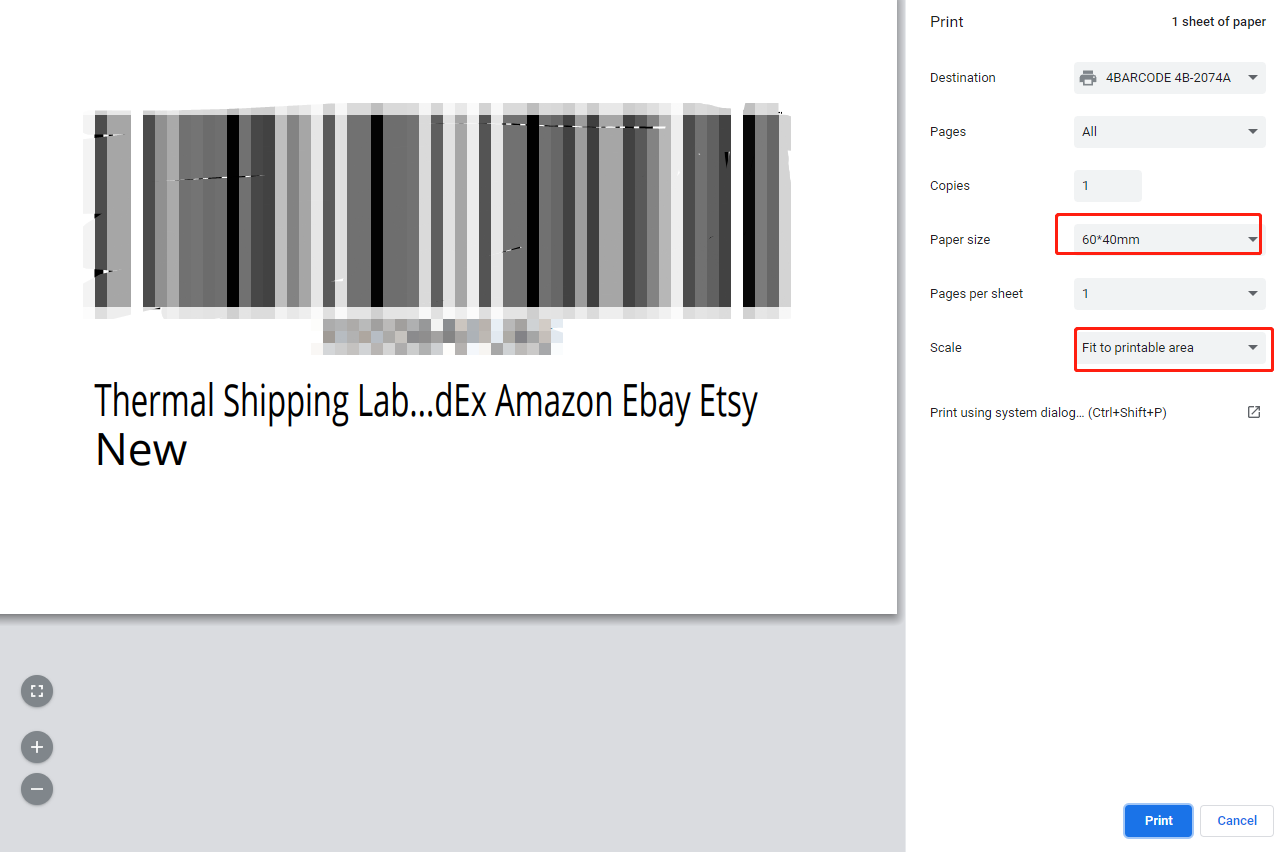
Print the downloaded PDF from Chrome with paper size set to your label size.
3. FBA box labels
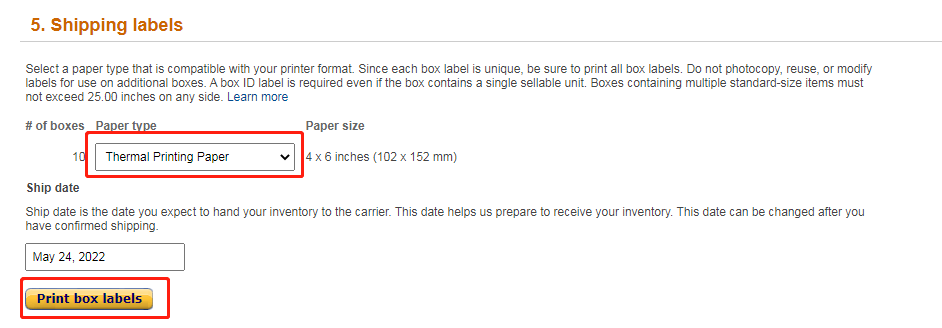
Amazon supports thermal printing for box labels: choose Thermal printing when generating the labels and print at 4 × 6.
Still need help?Live chat 11:30 – 21:00 Mon–Fri (Sydney time) · Email replies within 24 hours · Phone 0478 886 607