
Remote assistance — let us fix it on your screen
Book a free remote session. We connect with TeamViewer or Chrome Remote Desktop and finish the setup for you.
Most driver and settings problems are solved in one 10–15 minute session. Remote support is free for HotLabel customers.
How to book
Message us on live chat during 11:30 – 21:00 Mon–Fri (Sydney time) or email support@hotlabel.co with your order number and a good time. Have the printer connected and switched on when we start.
Option A — Chrome Remote Desktop (Windows & Mac, no install needed)
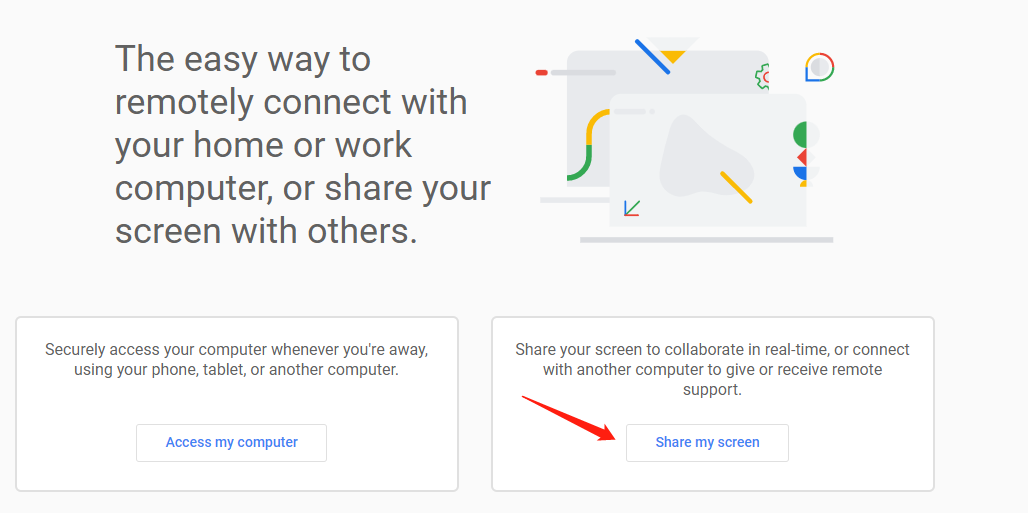
- Open remotedesktop.google.com/support in Chrome.
-
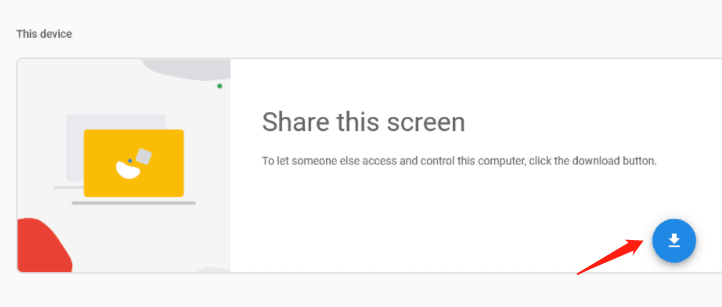
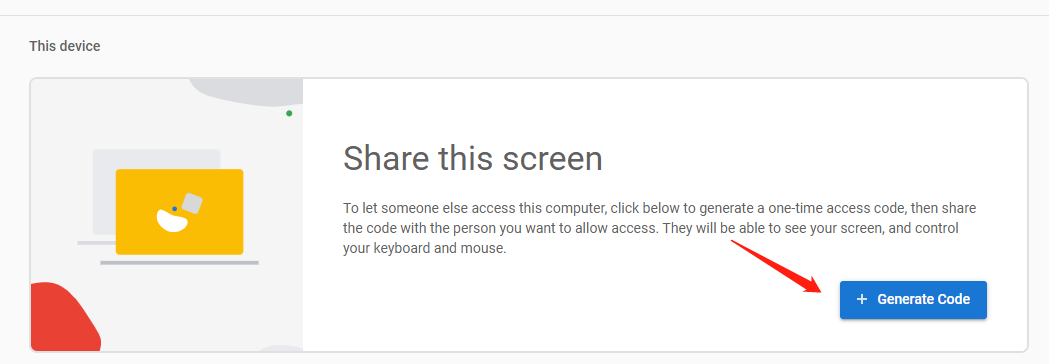
Under Share this screen, click Generate Code (you may be asked to add a small Chrome extension the first time).
-
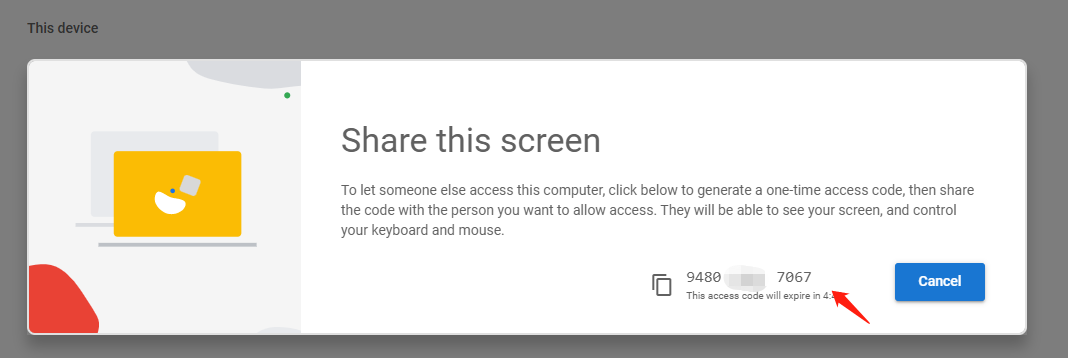
Send us the 12-digit code on chat. You'll see everything we do and can stop sharing at any time.
Option B — TeamViewer (Windows & Mac)
-
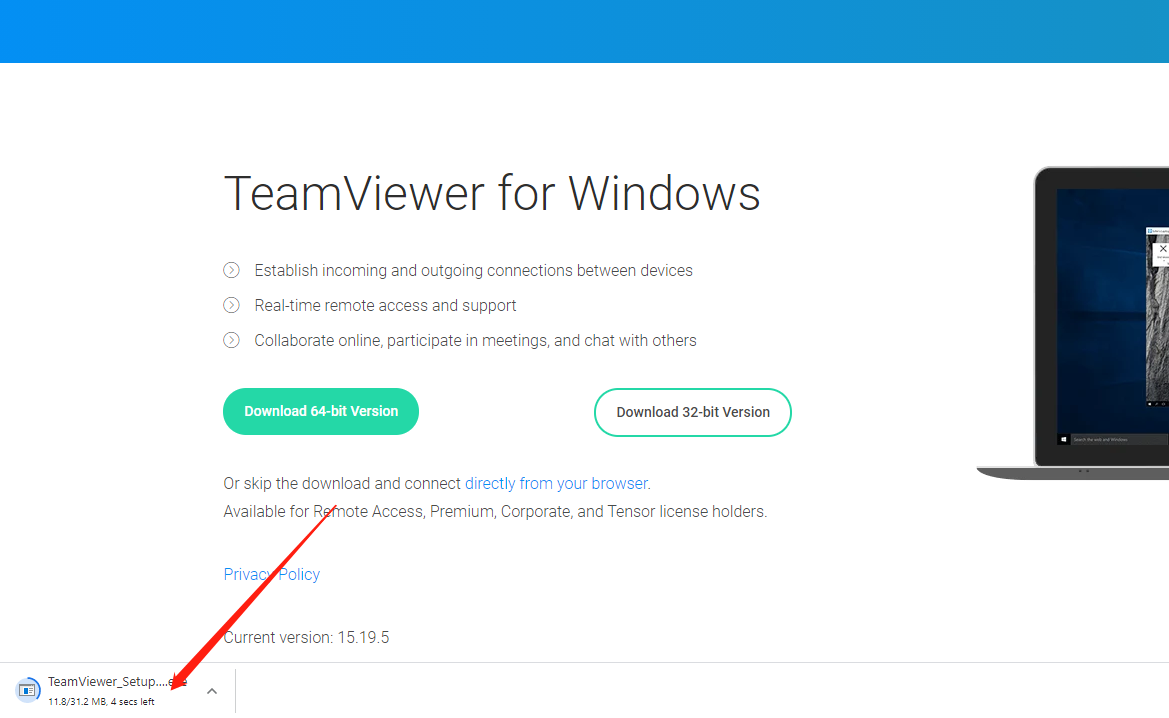
Download TeamViewer from teamviewer.com.

-
Open the downloaded file.
-
Choose Run only (one time use) if you don't want to install it.

-
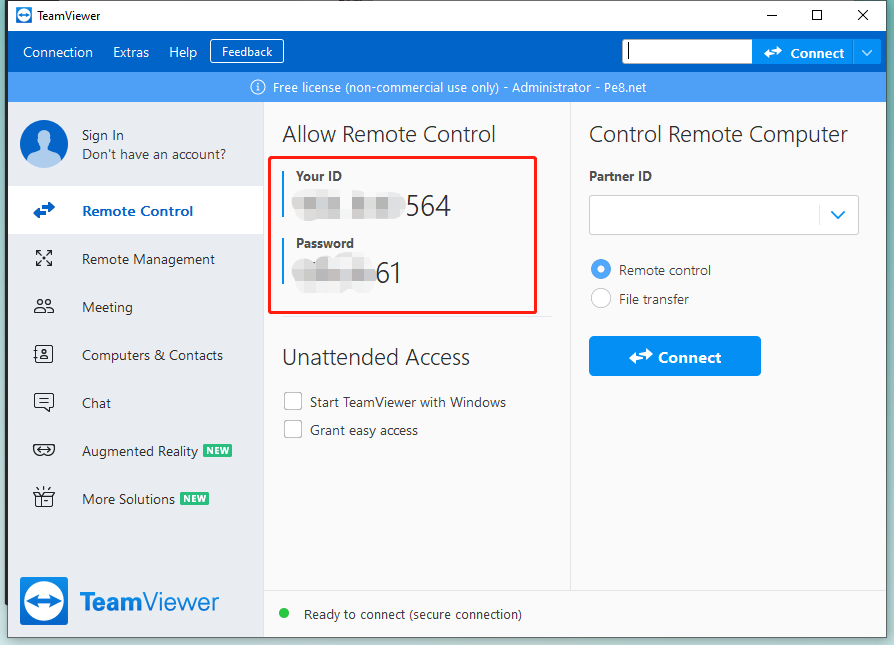
Send us the ID and password shown, and we'll take it from there.
Your privacy
We only connect while you watch, and the session ends when you close the tool. We never ask for account passwords.