
Home › Print from a platform
PayPal shipping
Change PayPal's printer preference to a 4 × 6 label printer for business and personal accounts.
PayPal stores each label as a file. After you switch to 4 × 6, only new labels use the new size; void and re-create any old ones.
Business accounts
-
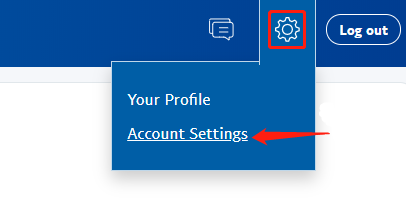
Log in and click the gear icon (top right) → Account Settings.
-
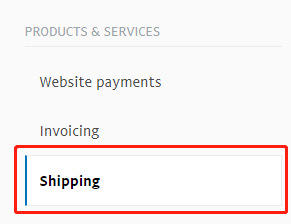
Choose Shipping on the left.
-
Under Shipping preferences click Update.

-
Under U.S. Postal Service preferences click Edit printer settings.

-
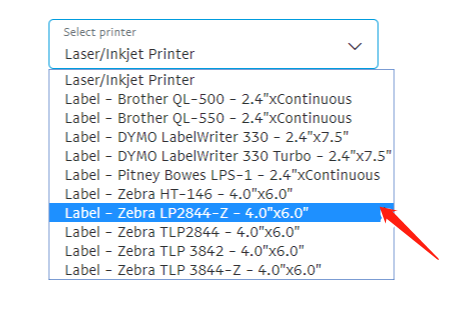
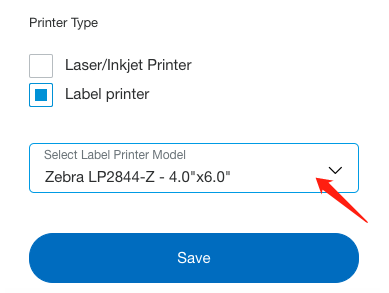
Choose Label printer and any 4 × 6 option, e.g. Zebra TLP 3844-Z 4.0 × 6.0.
Personal accounts
-
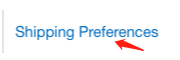
Log in to paypal.com and open Shipping preferences.
-
Select Label printer and any 4.0 × 6.0 size.
Still need help?Live chat 11:30 – 21:00 Mon–Fri (Sydney time) · Email replies within 24 hours · Phone 0478 886 607