
Home › Set up your printer
Set up HotLabel on Linux
Install the HotLabel printer on Ubuntu and other Linux distributions using the command-line installer and CUPS.
Tested on Ubuntu. Other distributions with CUPS should work the same way.
Step 1 — Download the installer
Download the HotLabel Linux installer (0.1 MB)
Save it to your Desktop.
Step 2 — Run the installer
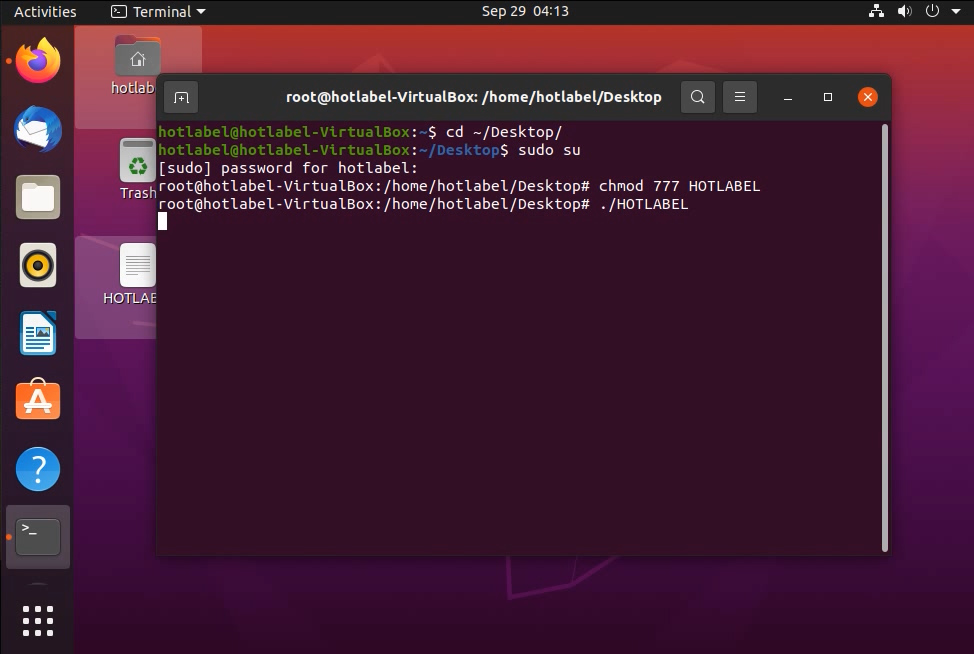
Open a terminal and run:
cd ~/Desktop/
sudo su
chmod 777 hotlabel-linux-driver-HOTLABEL
./hotlabel-linux-driver-HOTLABEL
Step 3 — Add the printer
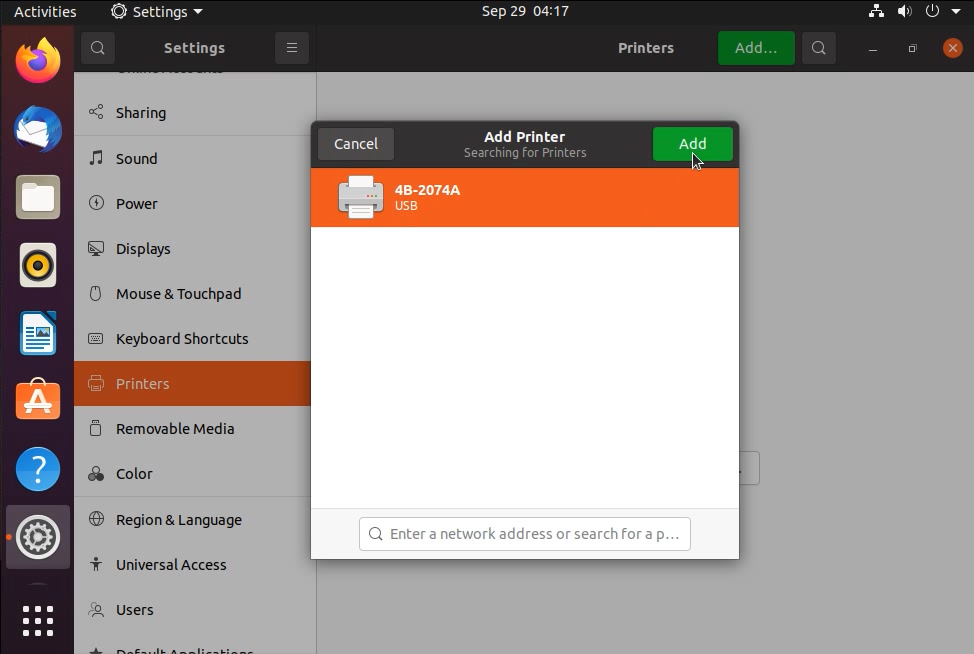
- Open Settings → Printers (or CUPS at
http://localhost:631) and click Add a Printer. - Select the HotLabel / 4B 2074A entry and click Add.
Step 4 — Print a test label
Download the sample 4 × 6 label (PDF)
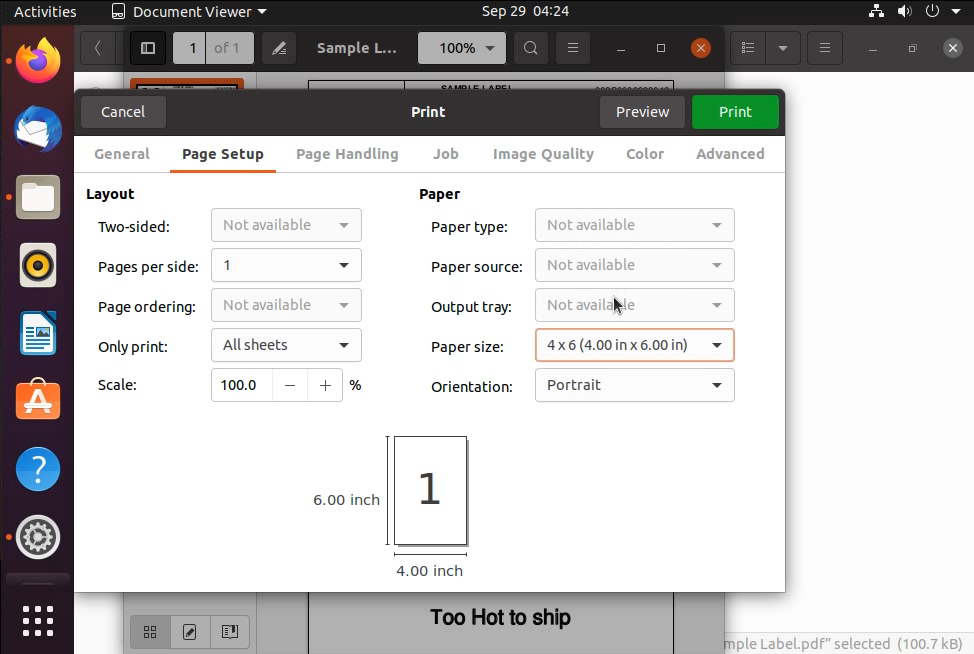
Make sure the printer is on and connected by USB, choose paper size 4 × 6 in, then print.
Change default printer settings
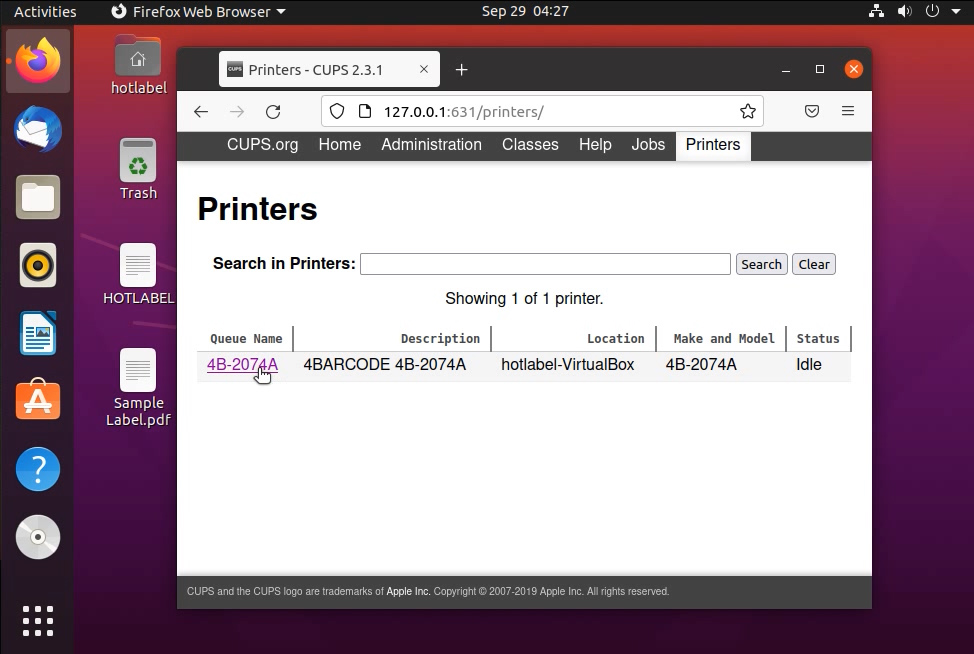
Open http://127.0.0.1:631 in your browser → Printers → your printer → Administration → Set Default Options. Set the media size to 4 × 6 in and adjust darkness if needed.
Still need help?Live chat 11:30 – 21:00 Mon–Fri (Sydney time) · Email replies within 24 hours · Phone 0478 886 607