
Windows asks to save a file instead of printing
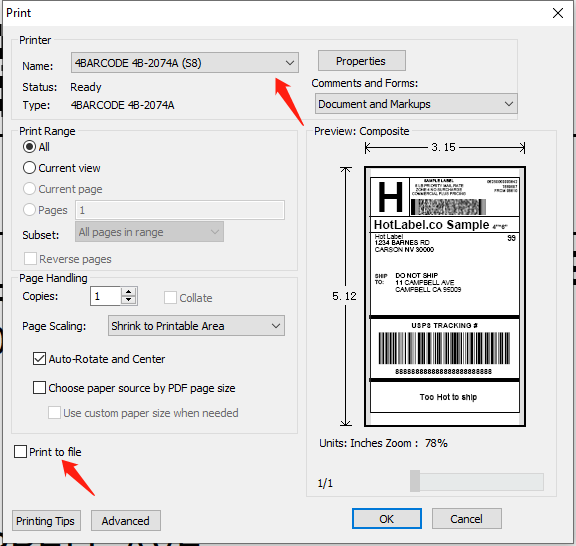
A Save dialog pops up when you click Print — "Print to file" is ticked or the wrong printer is selected. Fix, or reinstall the driver.
1. Check the print dialog
- Printer: make sure your HotLabel printer is selected (HotLabel HL-S8 / M9 / A300, or 4BARCODE 4B-2074A for older units) — not Microsoft Print to PDF or Save as PDF.
- Print to file: untick it.
2. Make HotLabel the default printer
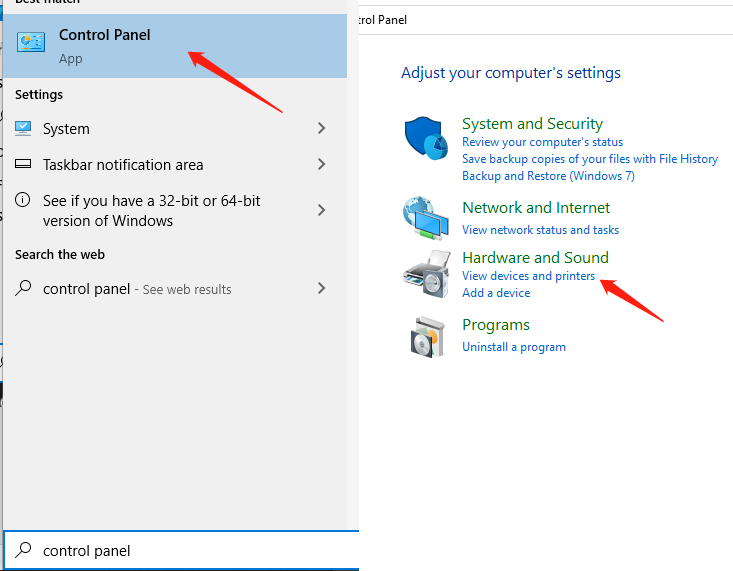
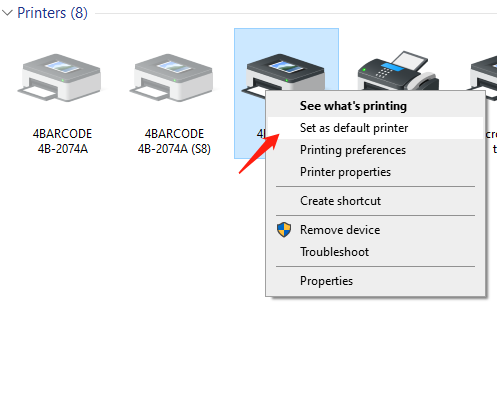
Control Panel → Devices and Printers → right-click your HotLabel printer → Set as default printer.
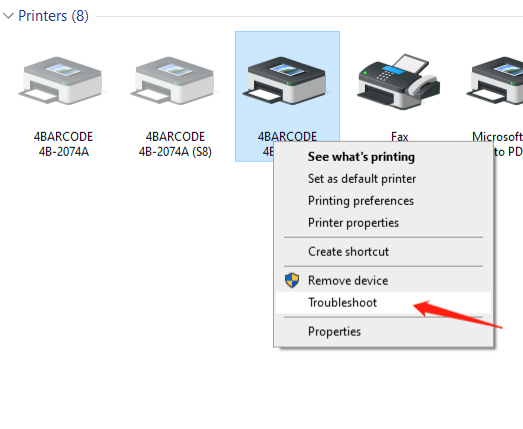
Then run the built-in printer troubleshooter (right-click the printer → Troubleshoot).
3. Reinstall the driver
If it still saves a file, the driver installation is corrupted.
Remove the old driver
-
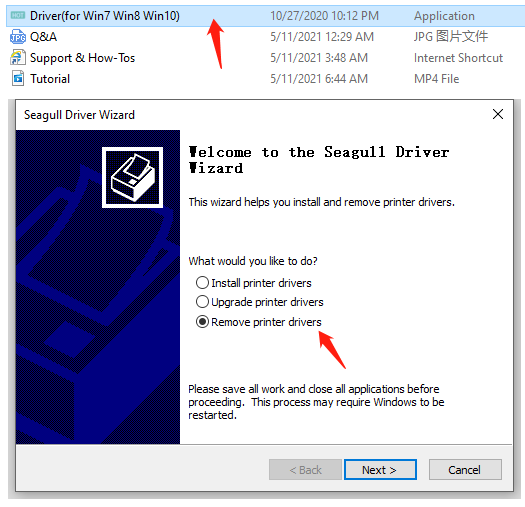
Run the driver installer again and choose Remove printer drivers.
-
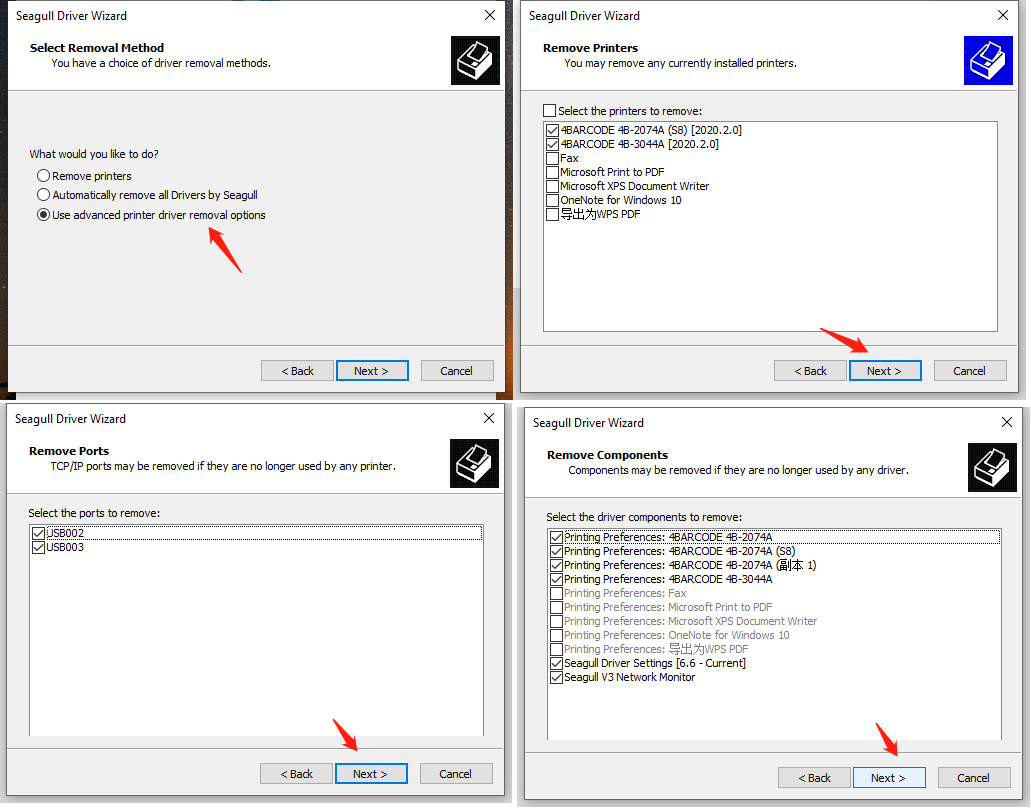
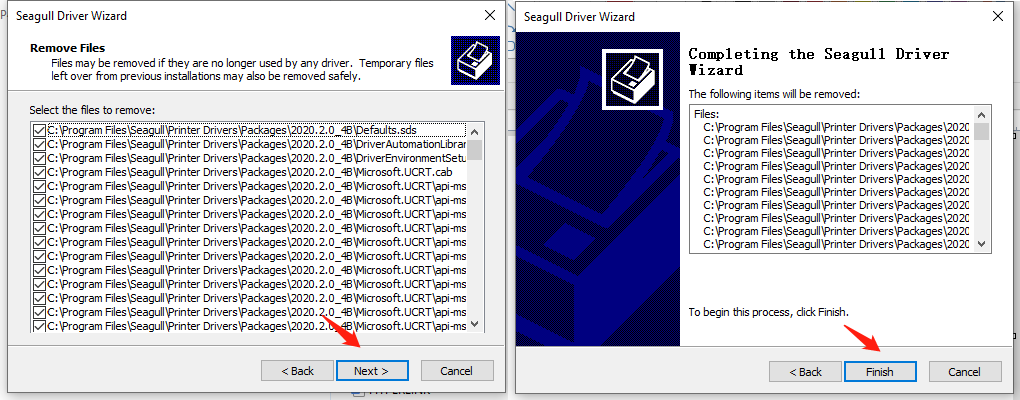
Tick Use the advanced driver removal options, click Next through the wizard and Finish.
-
Open This PC → Local Disk (C:) → Program Files (x86) and delete the HotLabel folder (or
C:\4BARCODEfor the older driver).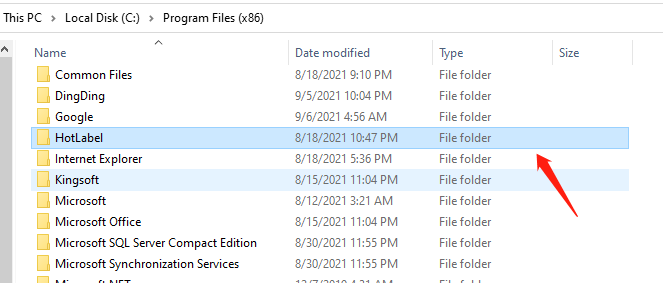
Install again
Run the installer once more with the printer switched on — see your model's setup guide or the Downloads page.