
Home › Print from a platform
Royal Mail (Click & Drop)
Print Royal Mail Click & Drop labels at 4 × 6 from your browser.
Steps
-
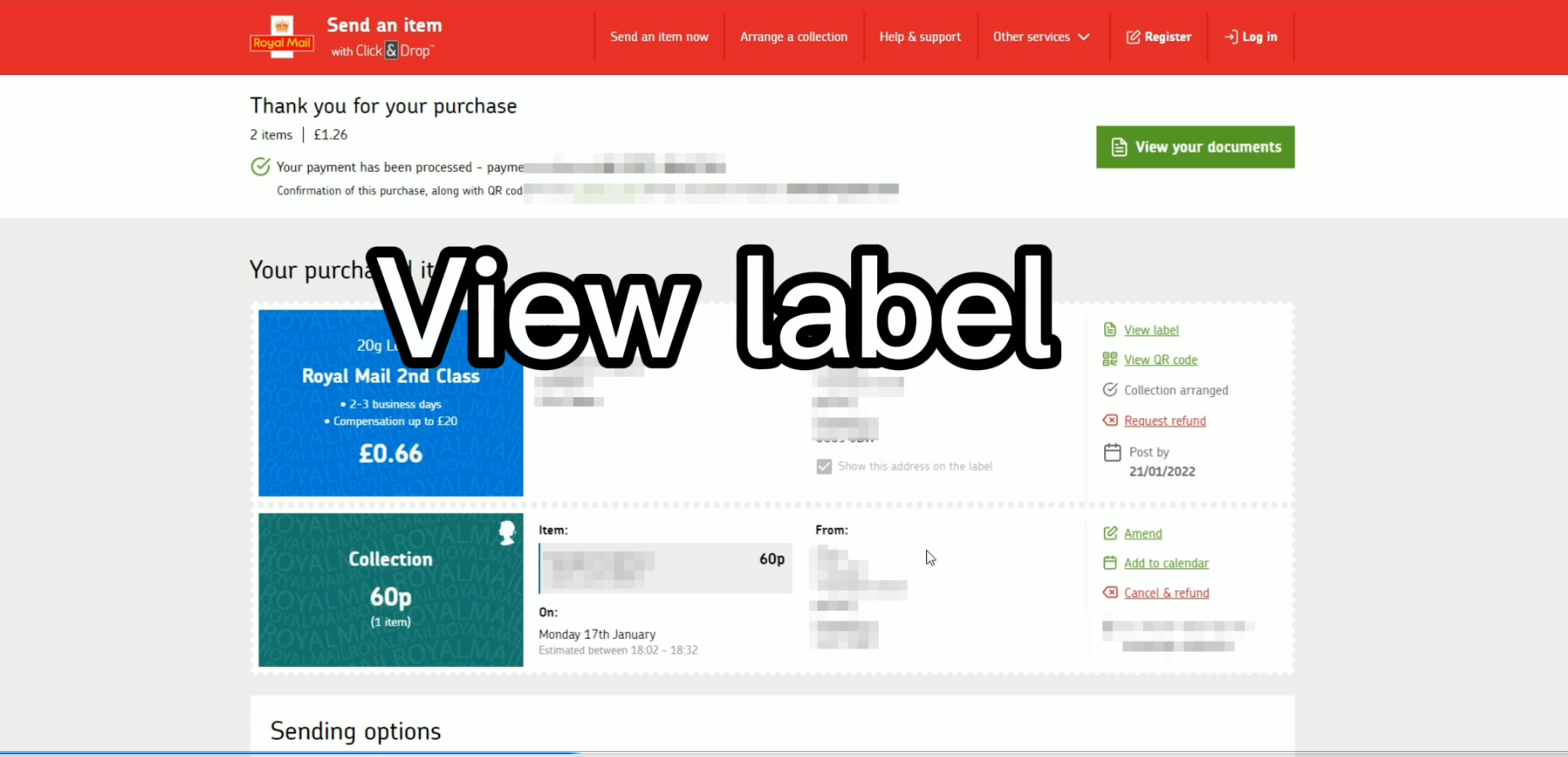
In Click & Drop, click View label.
-
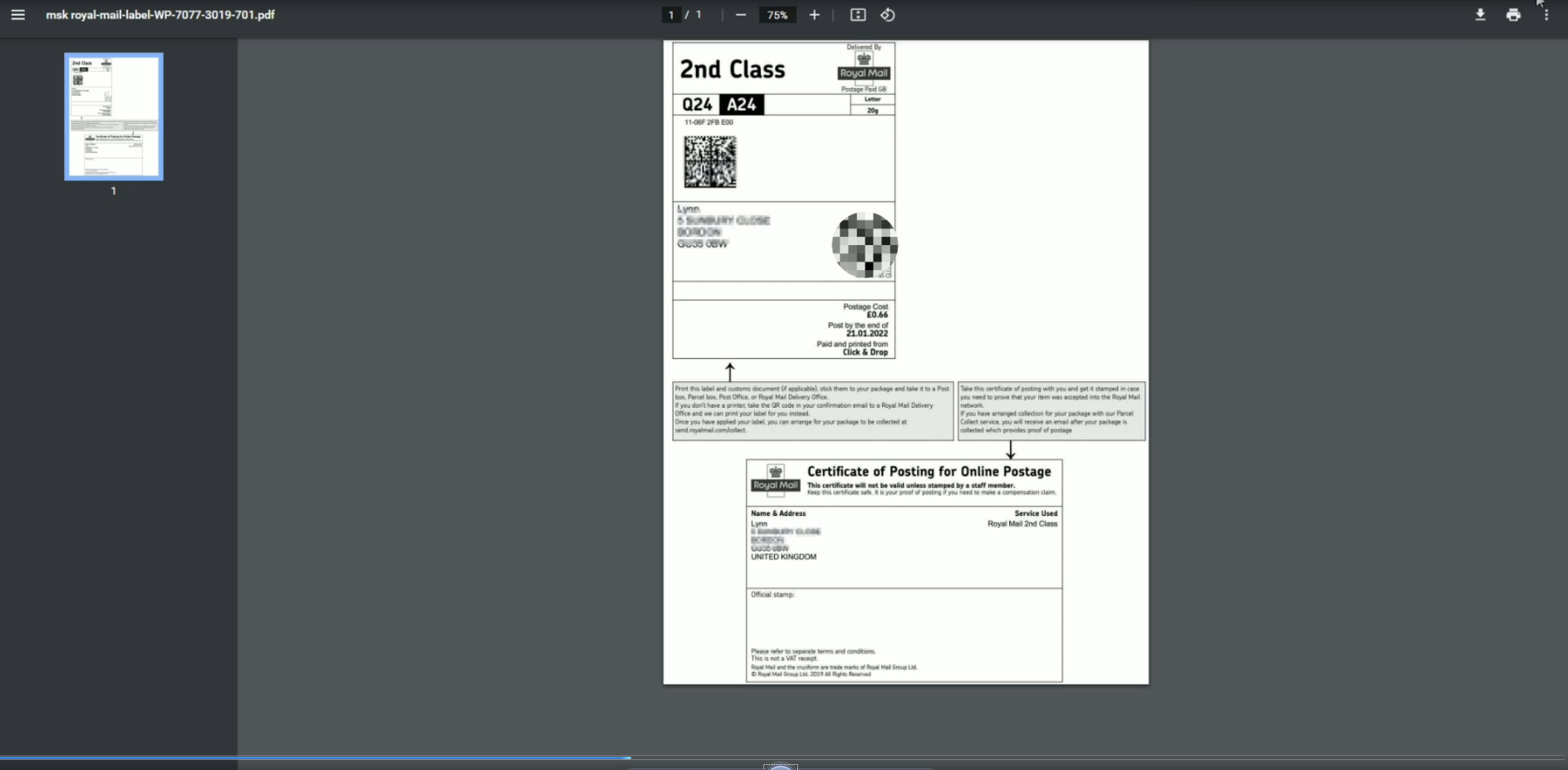
Press Ctrl+P (or the page's print button).
-
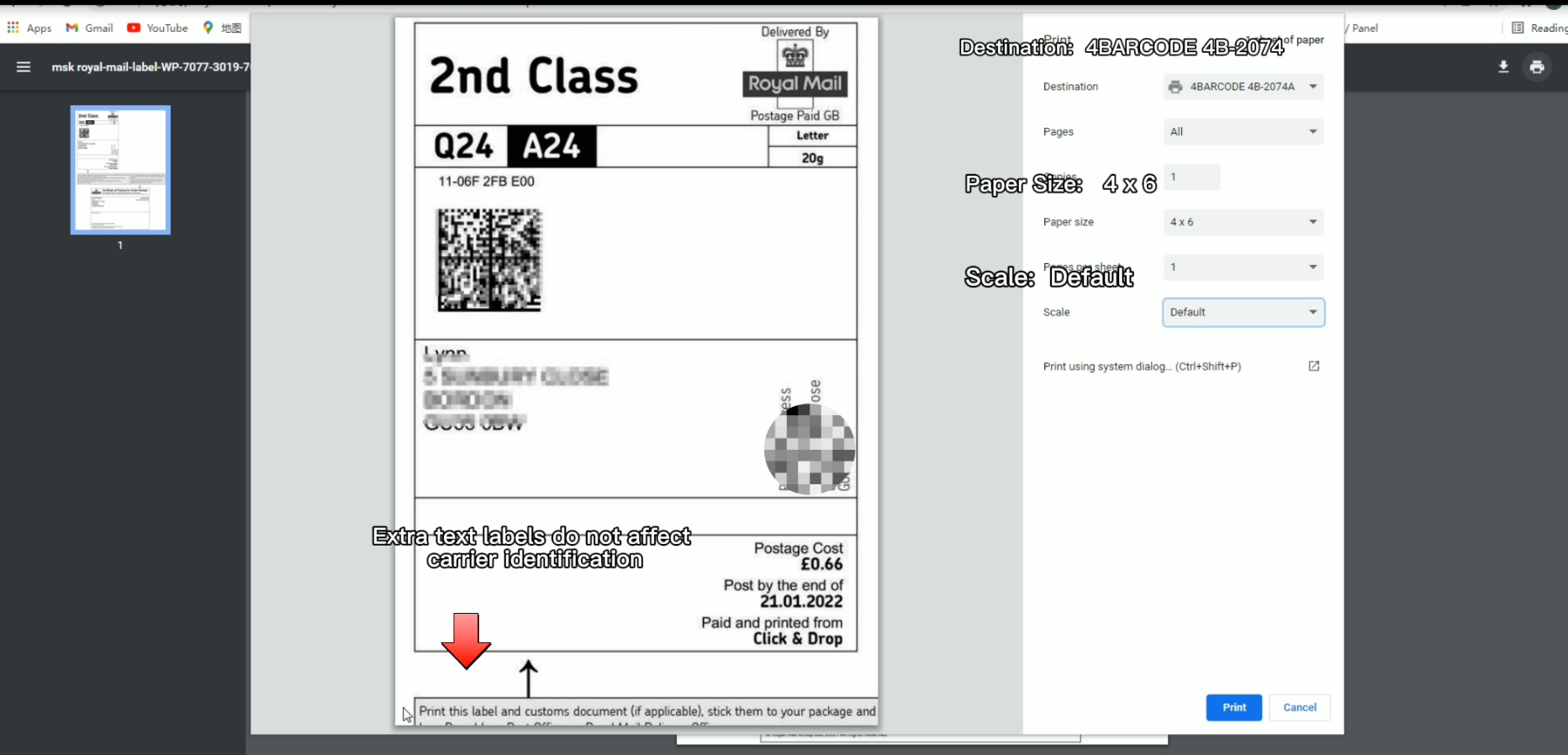
Set the print options: Destination = your HotLabel printer (HotLabel HL-S8 / M6 / A300, or 4BARCODE 4B-2074A on older units), Paper size = 4 × 6, Scale = Default. Click Print.
-
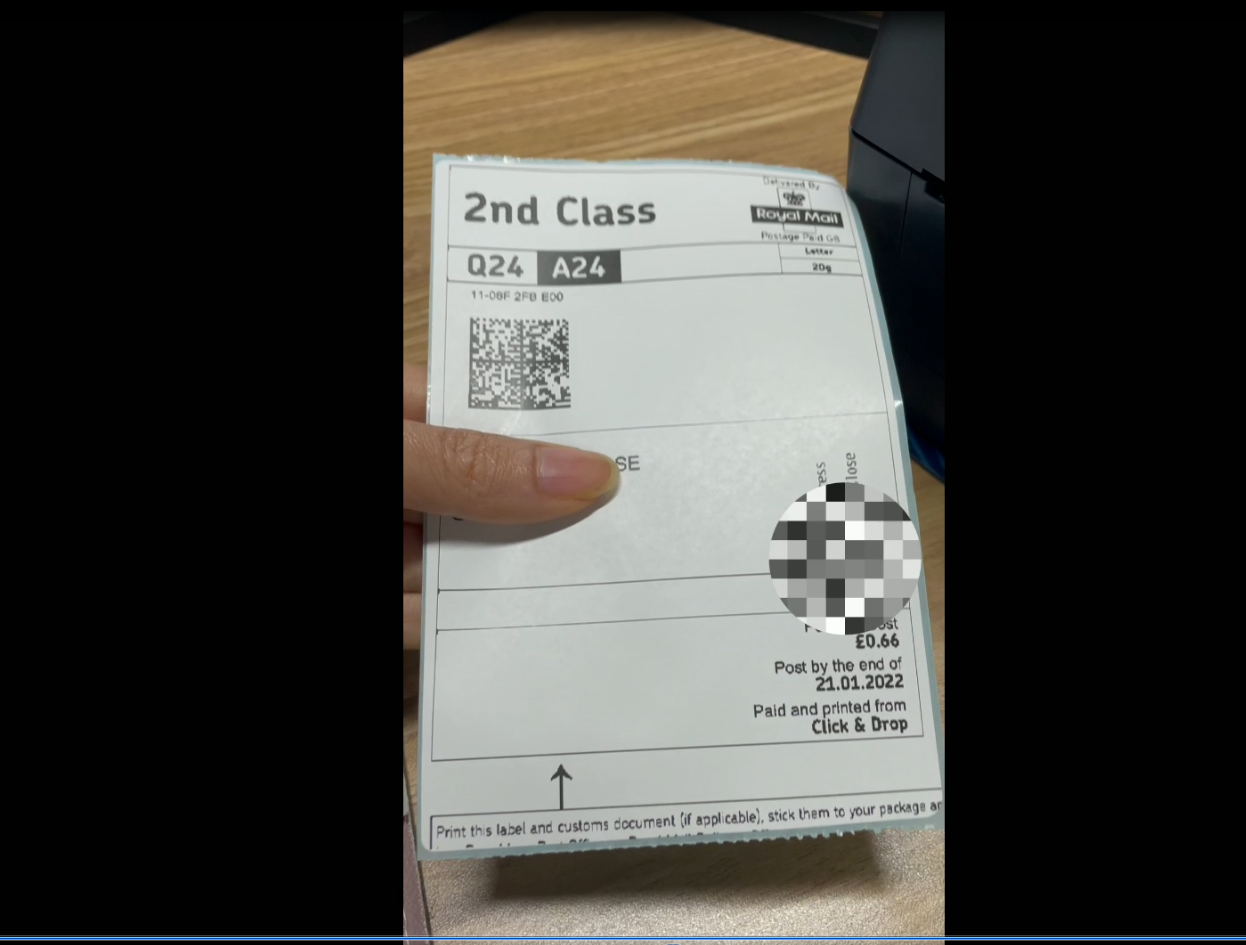
The label prints edge to edge.
Still need help?Live chat 11:30 – 21:00 Mon–Fri (Sydney time) · Email replies within 24 hours · Phone 0478 886 607