
Red light or flashing red light
What the red LED means and how to get it back to blue in under a minute.
The ring light on the top of your HotLabel printer is blue when everything is fine. Red means the printer has stopped for one of four reasons.
1. Flashing red light
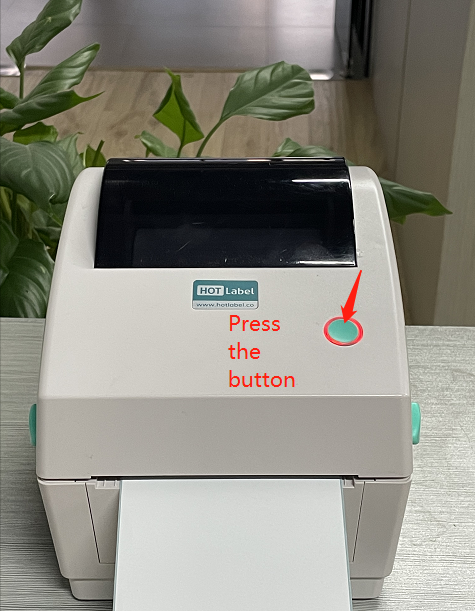
The printer has lost track of the label size. Press the round button on top once to run label calibration — a few labels feed through and the light turns blue.
If it keeps happening every time you switch the printer on, see Reset & calibrate.
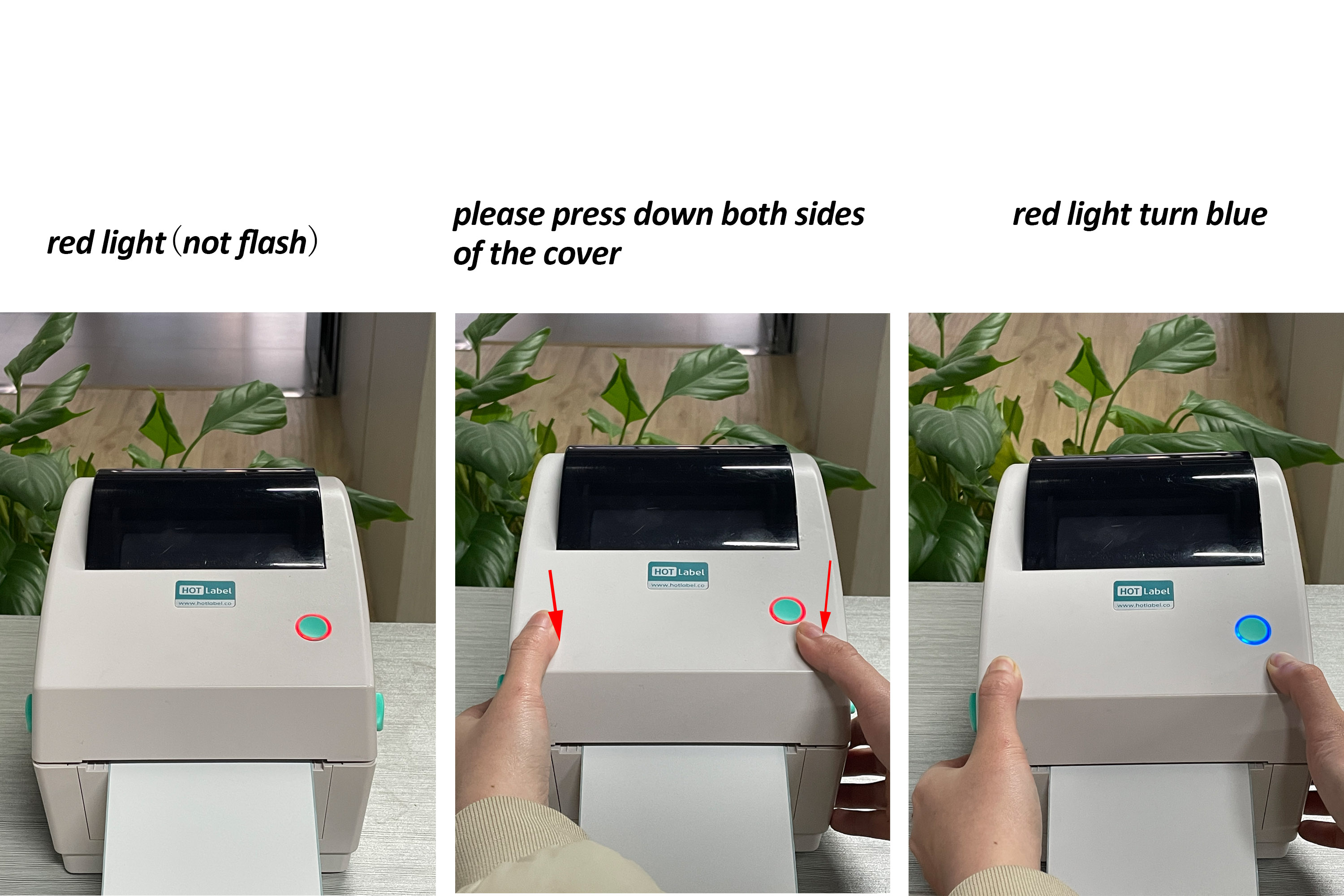
2. Solid red before printing — lid not closed
Press down firmly on both sides of the lid at the same time until you hear a click. The light turns blue.
3. Solid red when you try to print — size mismatch
The label size in your print settings does not match the labels loaded in the printer. Open the printer preferences and set the paper size to your actual label size (usually 4 × 6 in / 100 × 150 mm).
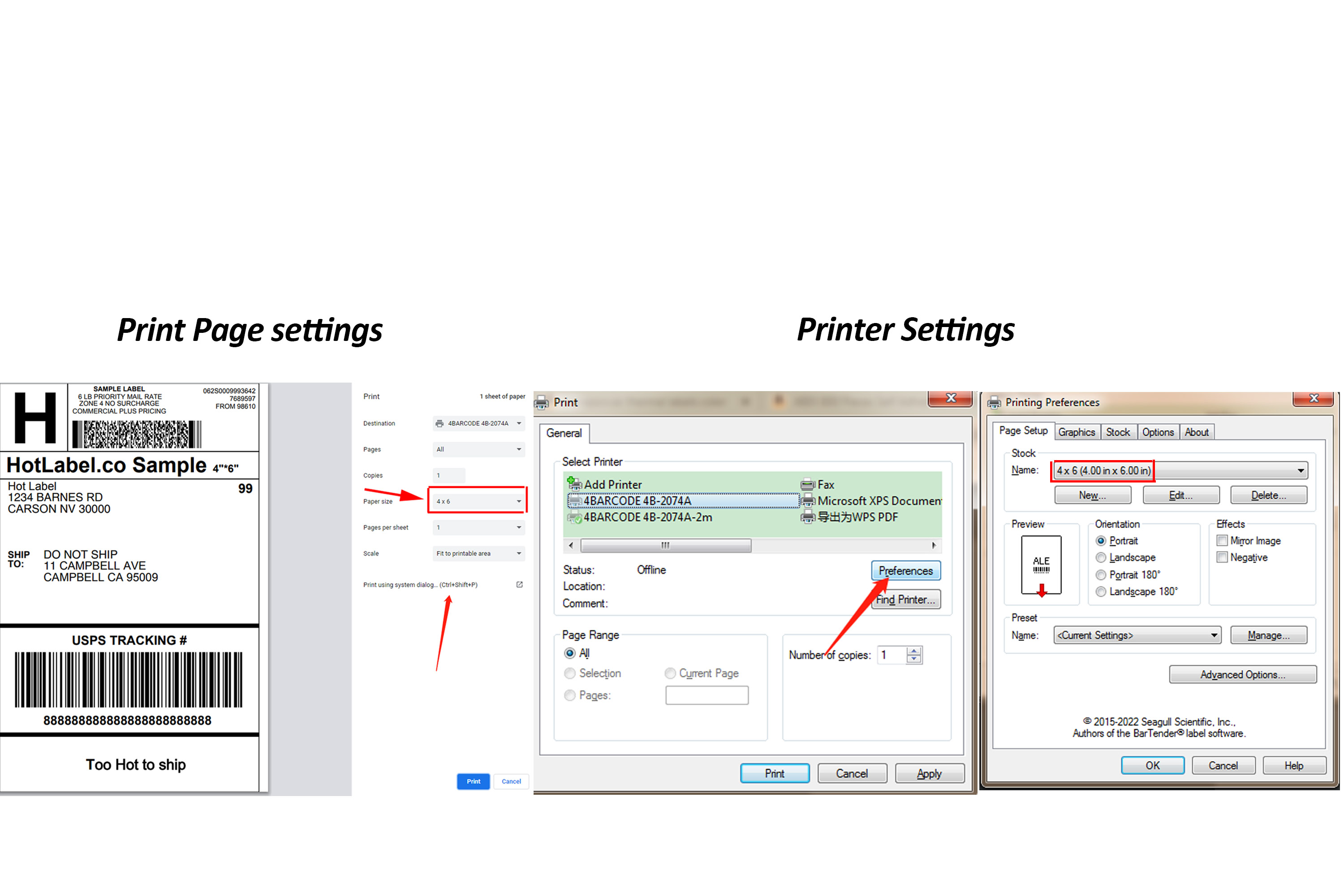
See Windows printer settings or Mac printer settings.
4. Red light in the middle of a print run
Either the document size doesn't match the labels (see point 3) or the driver is out of date. Reinstall the latest driver from the Downloads page, then print the sample label to confirm.
Also beeping and printing the same label repeatedly?
See Skips labels or prints the same label again.
Still red?
Take a short video of the light and what the printer does when you press the button, and send it to us on live chat or support@hotlabel.co. We'll sort it remotely.