
Purple or pink light — printer stopped working
A bright purple or pink ring light after a reset means the printer firmware needs an update. Here's how we fix it with you.
If your A300 or S8 shows a steady bright purple / pink light after a reset and won't print, the printer firmware needs to be re-flashed. This takes about 10 minutes and we do it together with you — the firmware file is matched to your printer's hardware, so we don't publish it for download.
Short on time?
Book a remote session and we'll do the whole update on your PC while you watch. Windows only.
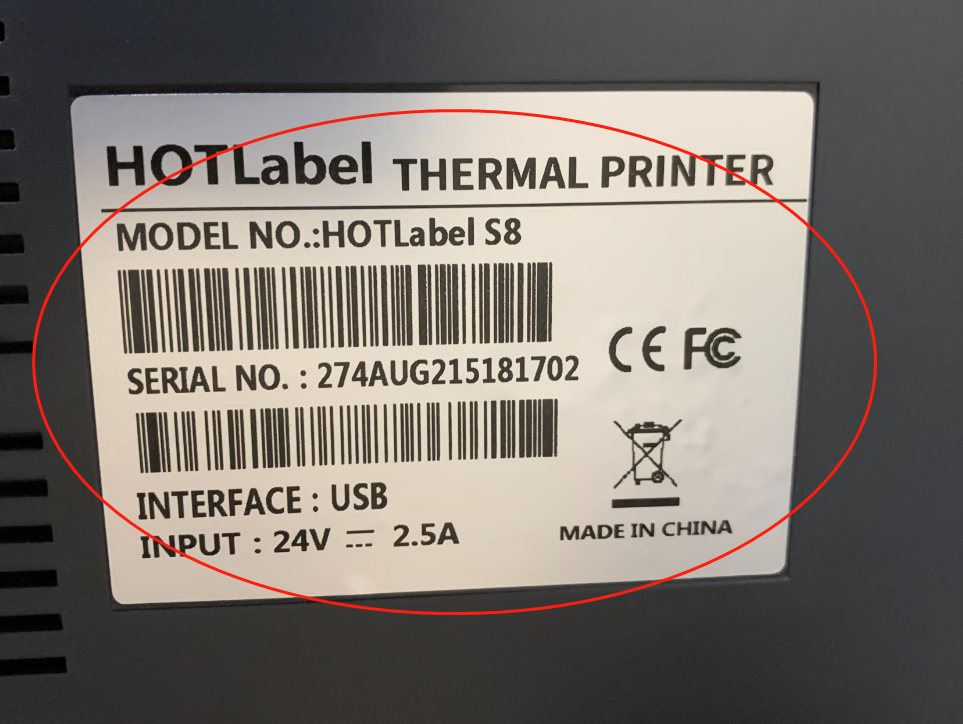
Step 1 — Send us a photo of the bottom of the printer
Message us on live chat or email support@hotlabel.co with a photo of the sticker on the bottom of the printer and your order number.
Step 2 — We send you the firmware file
You'll receive the matching firmware file within 24 hours (usually much faster during chat hours).
Step 3 — Open the Diagnostic Tool
Download the Diagnostic Tool (0.3 MB)
Extract the zip, open Diagnostic Tool.exe and click Setup. If Windows asks to install a .NET feature, click Download and install.
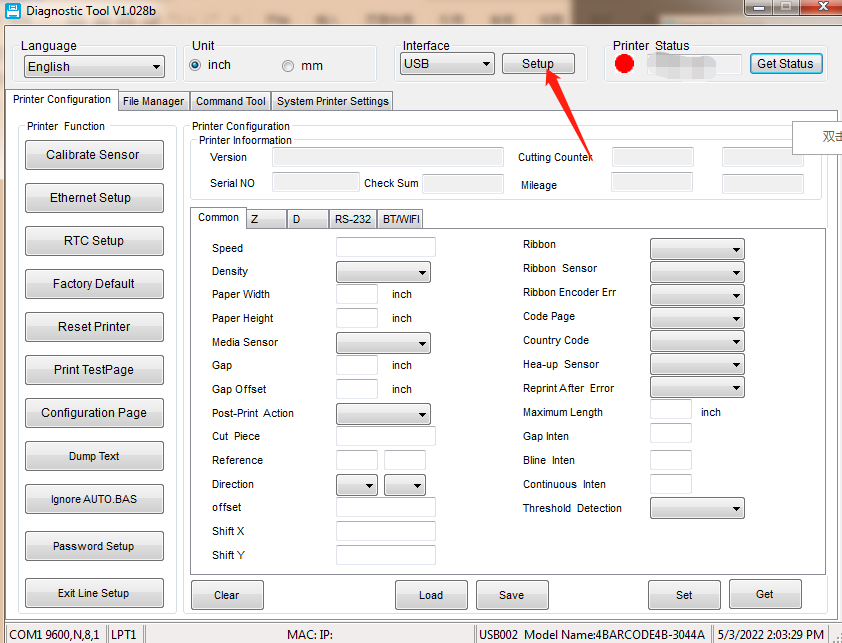
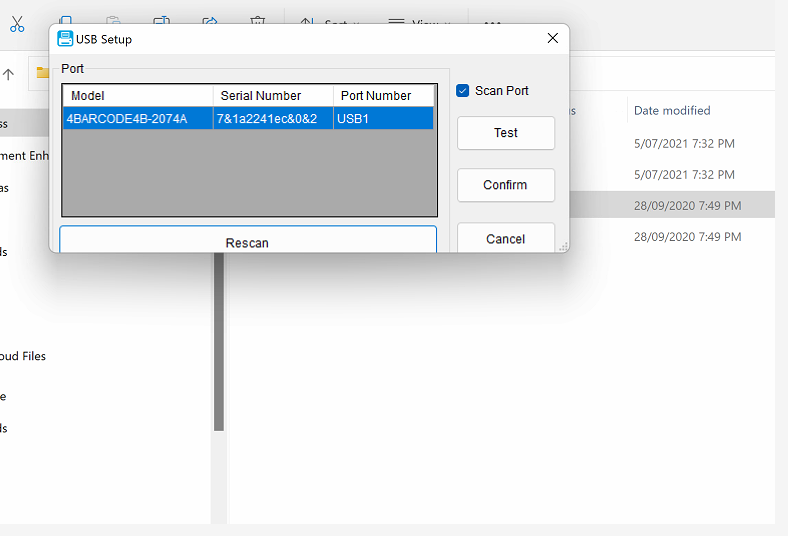
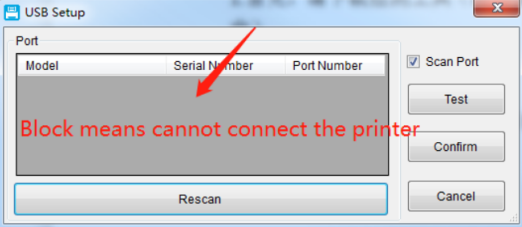
If the printer model number appears, the connection works — continue.
Step 4 — Flash the firmware
Click Command Tool, then drag the firmware file into the marked area. A green progress bar runs across; the printer beeps once when it finishes.
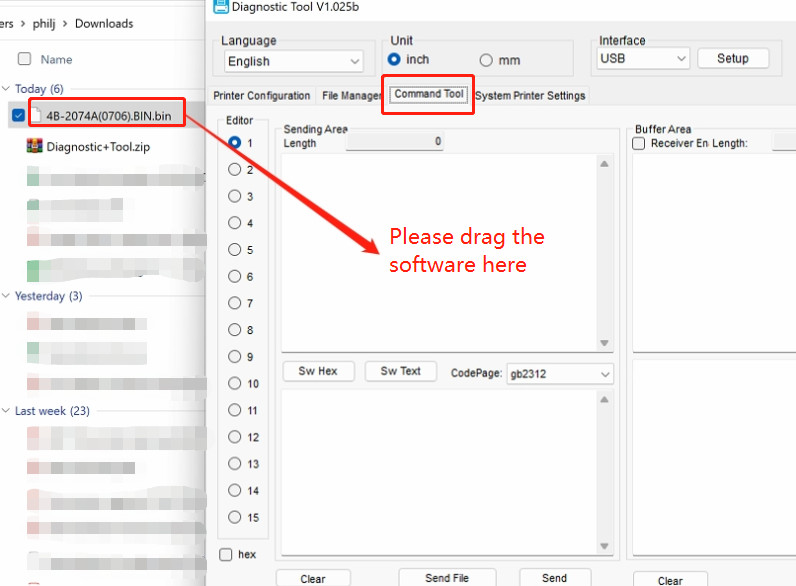
If the tool stops responding while you drag, close it, wait 10 minutes, and try again.
Step 5 — Restart and test
Switch the printer off and on, then print the sample label. The light should be blue.
Still purple? Tell us your order number on chat and we'll finish it remotely.