
Home › Print from a platform
FedEx
Create a FedEx label online and print it at 4 × 6.
Create the label
Video: How to ship via FedEx using an account
-
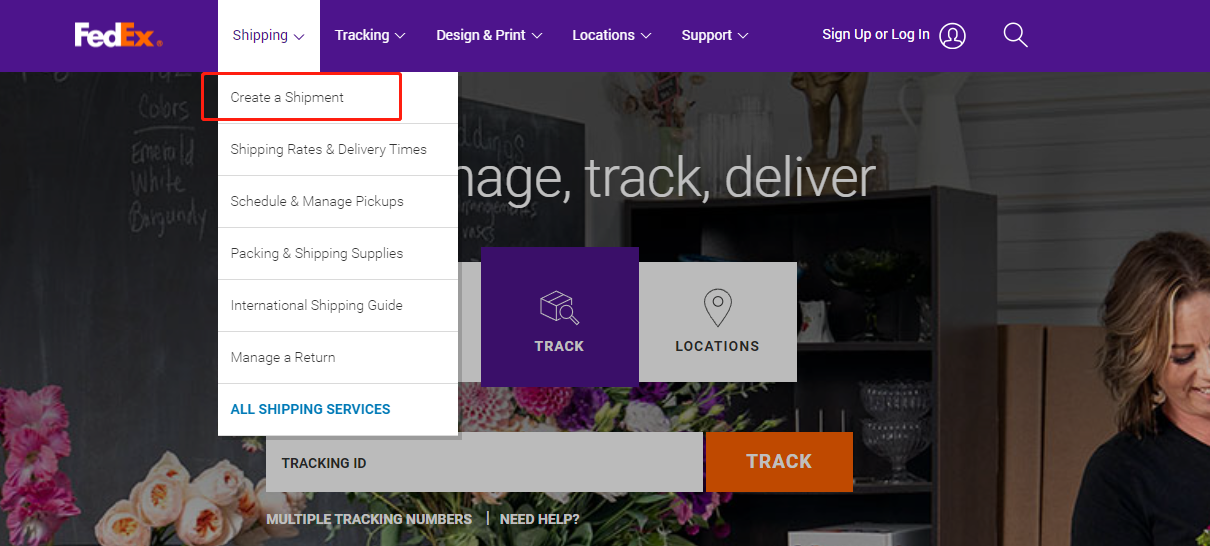
Go to fedex.com → Shipping → Create a Shipment.
-
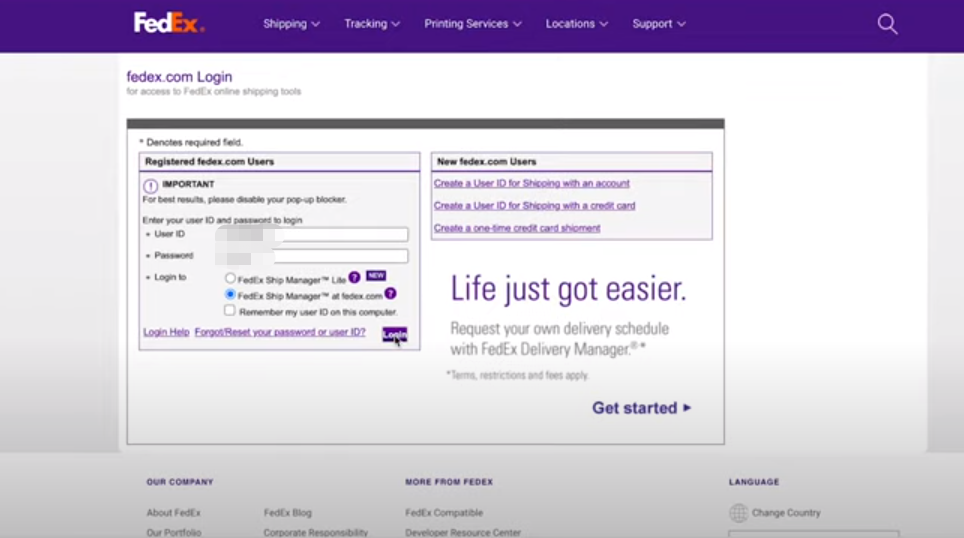
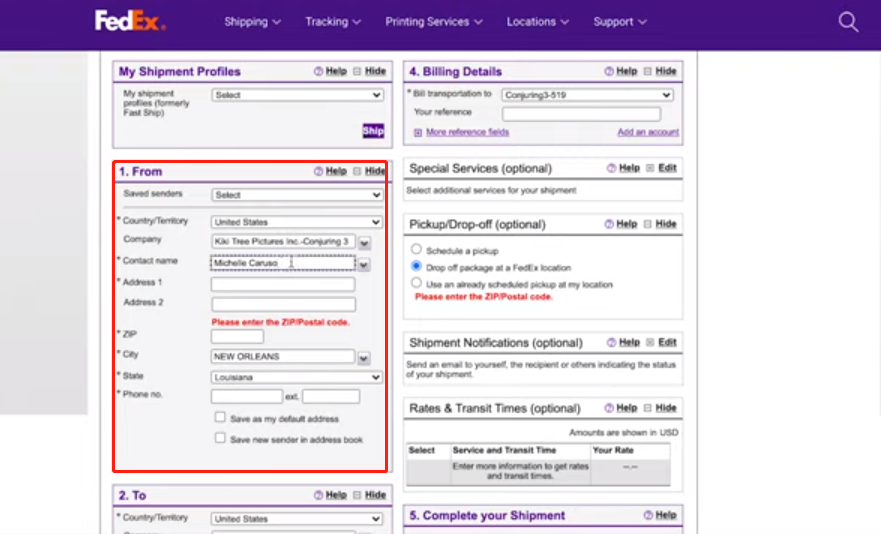
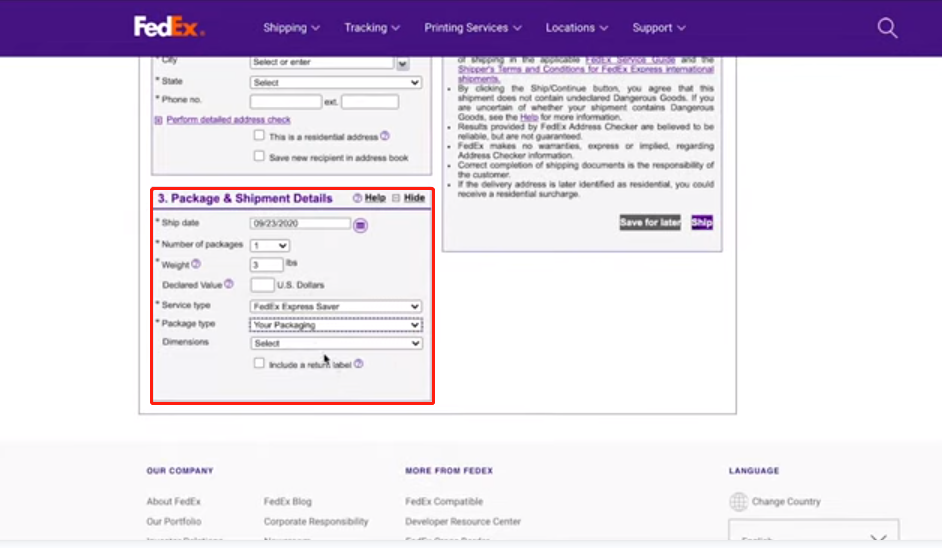
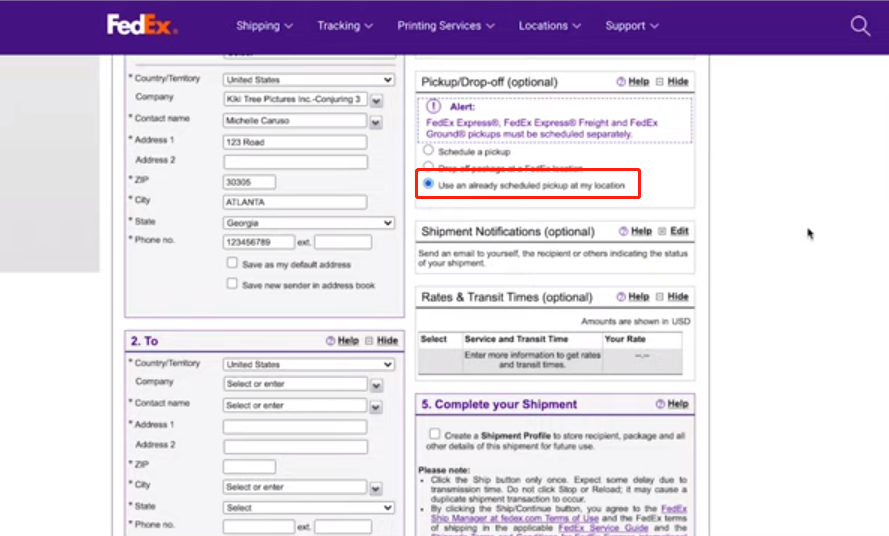
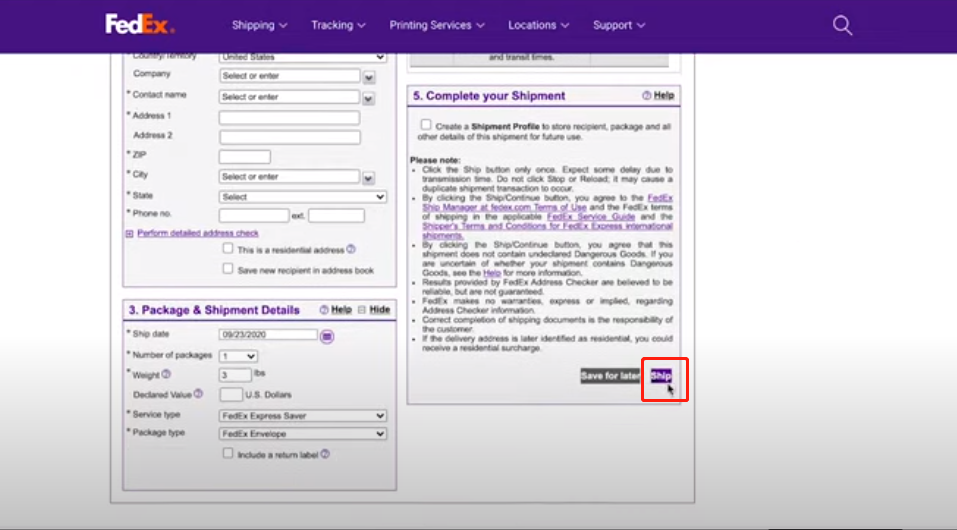
Fill in sender, recipient and package details.
-
In label options, choose a thermal 4 × 6 label format if offered.
Printing
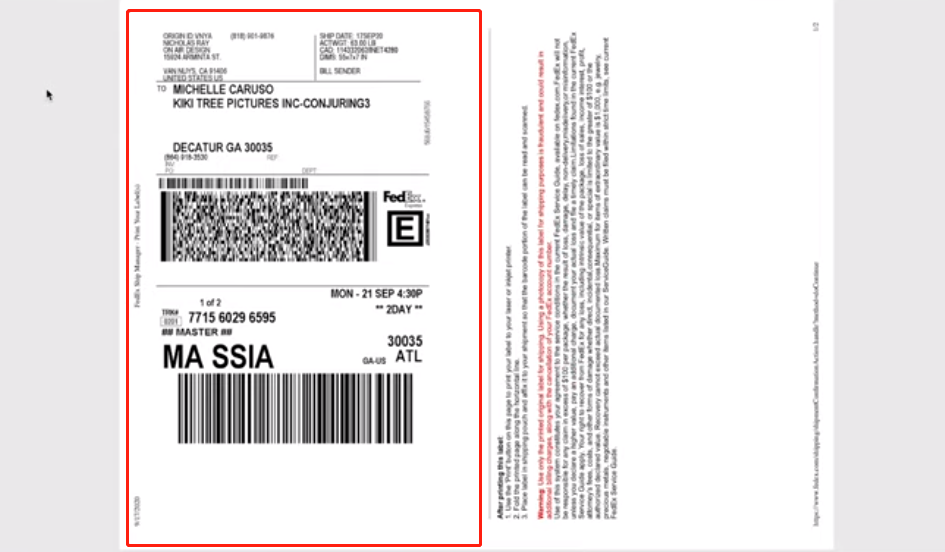
If FedEx only gives you an A4 / Letter PDF, crop it to 4 × 6 and print with your HotLabel printer, paper size 4 × 6 in, scale Fit to page.
Still need help?Live chat 11:30 – 21:00 Mon–Fri (Sydney time) · Email replies within 24 hours · Phone 0478 886 607