
Home › Print from a platform
UPS WorldShip
Configure UPS WorldShip to print 4 × 6 thermal labels on HotLabel.
Install UPS WorldShip and set up your HotLabel printer first, then:
-
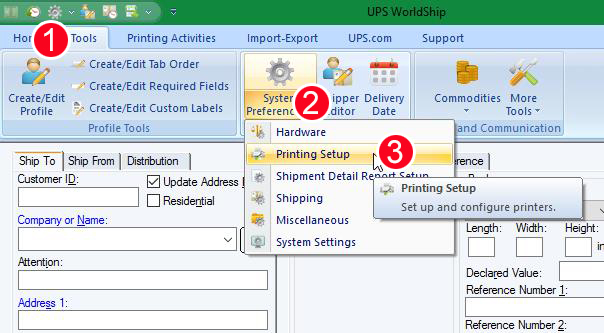
Tools → System Preferences → Printing Setup.
-
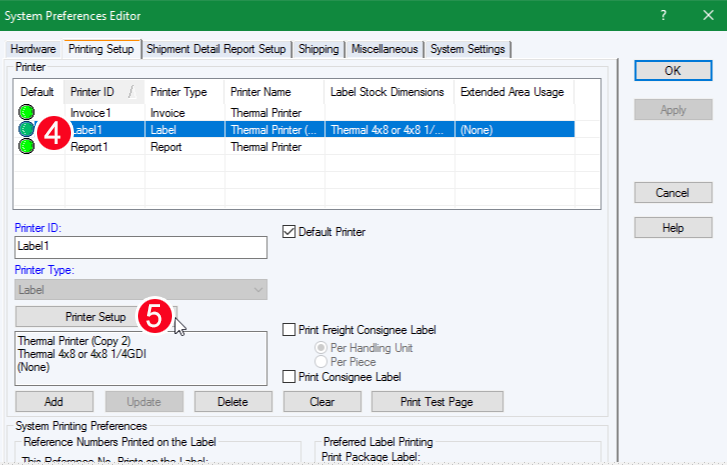
Label → Printer Setup.
-
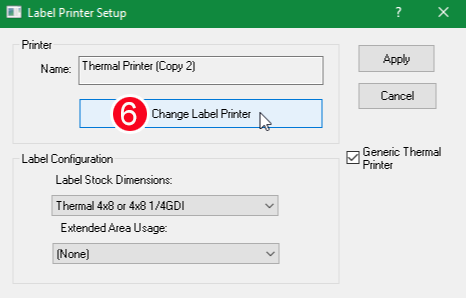
Change Label Printer.
-
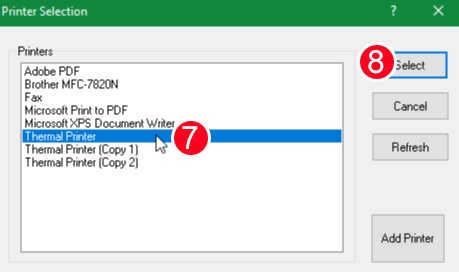
Thermal Printer → Select.
-
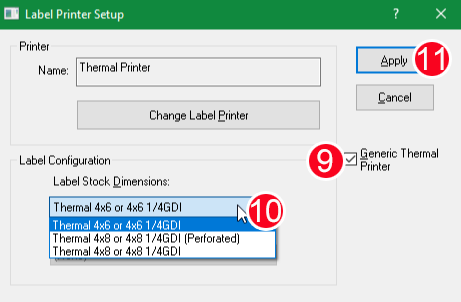
Tick Generic Thermal Printer, choose 4 × 6, click Apply.
-
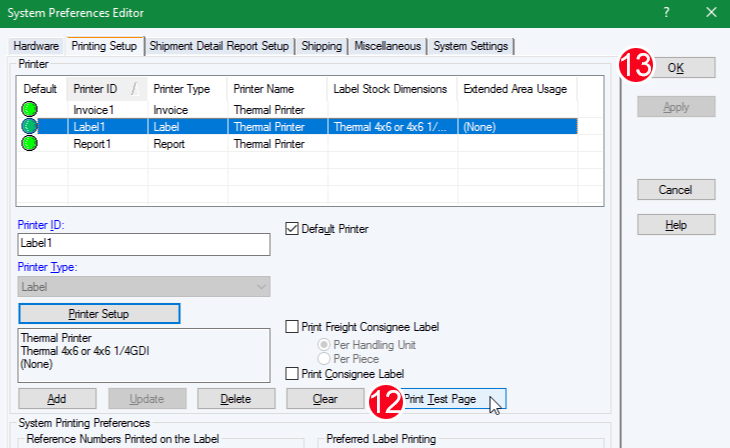
Print Test Page → OK.
Still need help?Live chat 11:30 – 21:00 Mon–Fri (Sydney time) · Email replies within 24 hours · Phone 0478 886 607