
Set up older HL-S8 / HL-M6 (bought before 20 Feb 2023)
Setup guide for S8 and M6 printers sold before February 2023. These use the 4BARCODE 4B-2074A driver on Windows, Mac, Chromebook and Linux.
Which guide do I need?
S8 / M6 printers shipped before 20 February 2023 use the 4BARCODE 4B-2074A driver — that is the name you will see in your printer list. Printers shipped later use the newer HotLabel driver: follow the current S8 / M6 guide. Unsure? See Which model do I have?
Before you start
- Connect power and the USB cable, switch the printer on.
- Load direct-thermal labels printing side up, first label sticking out past the tear bar, lid closed until it clicks.
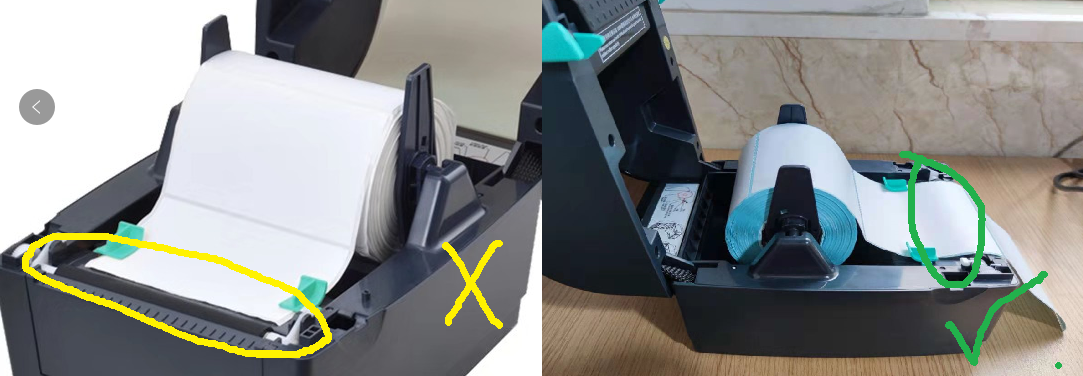
Warning
Keep the printer connected and switched on during installation.
Install the driver
Windows 7, 8, 10 and 11.
Download 4BARCODE driver 2021.3 (35 MB) Download 4BARCODE driver 1.0.0.108 — 2022 update (1 MB)
Start with the 2021.3 driver. If installation fails or the printer won't appear, try the 2022 update.
Step 1 — Run the installer
Open the downloaded file and follow the wizard.
Step 2 — Let the wizard detect the printer
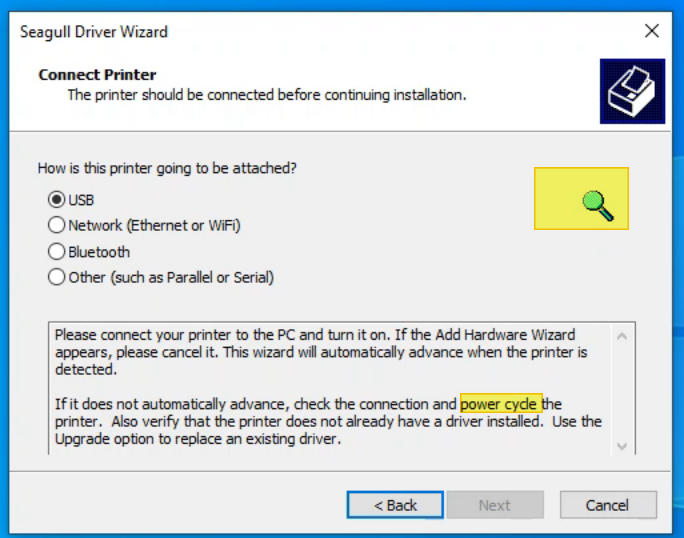
If the wizard cannot find the printer, switch the printer off and on while the wizard is open, then click Refresh.
Step 3 — Finish
4BARCODE 4B-2074A now appears under Settings → Printers & scanners.
Download the 4BARCODE Mac driver (0.1 MB)
Step 1 — Open the installer
Double-click the .pkg. If macOS blocks it, right-click → Open, or allow it under System Settings → Privacy & Security → Open Anyway.
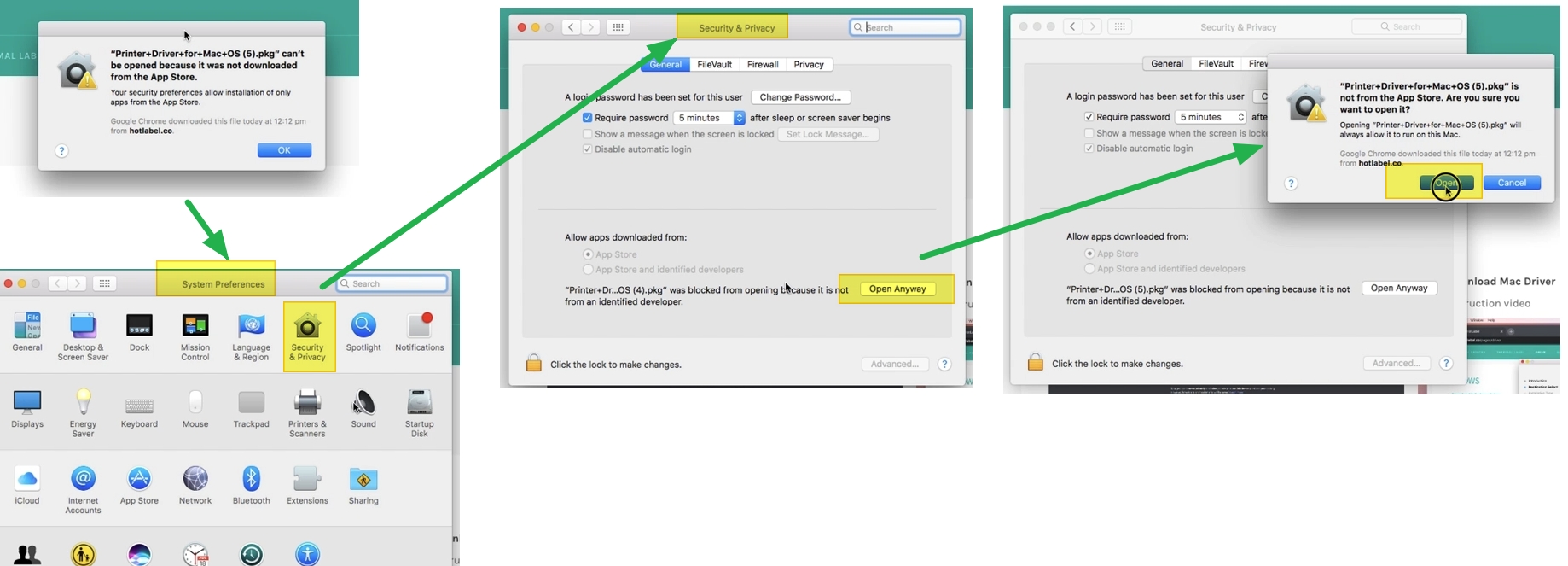
Step 2 — Add the printer
System Settings → Printers & Scanners → Add Printer (+) → select 4BARCODE 4B-2074A → Add.
Step 3 — Print settings
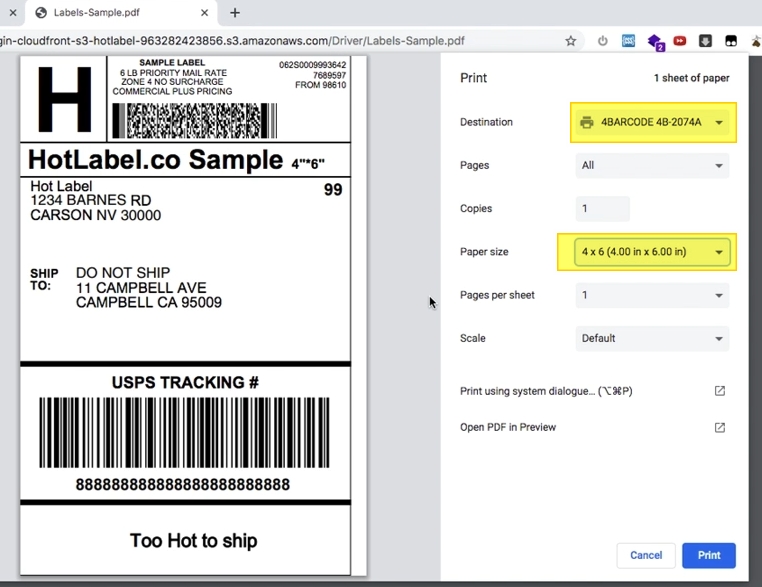
Choose Paper Size → 4 × 6 in when printing.
See the Chromebook guide — it uses a Zebra-compatible driver that works with all HotLabel models.
See the Linux guide.
Print a test label
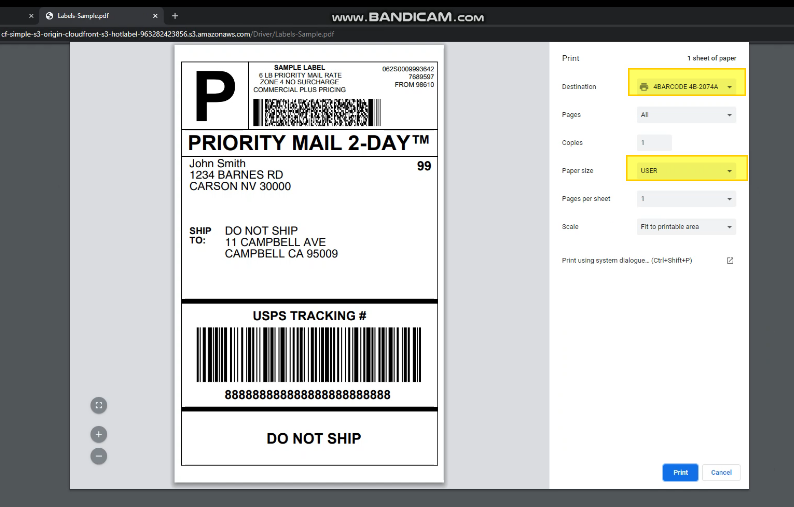
- Download the sample 4 × 6 label (PDF)
- Print it with 4BARCODE 4B-2074A selected, paper size 4 × 6 in, scale Fit to page.
Having trouble?
- Windows: printer not detected or install failed · Mac: printer not showing
- Label too small, sideways or cut off · Red light
- Still stuck? Book a remote session — we'll install it for you.